Why Building a Custom Mini PC Makes Sense
The appeal of compact computing has grown substantially over recent years. Desk space comes at a premium these days. Living rooms don’t need tower cases dominating the entertainment center. Home offices look cleaner without bulky hardware everywhere. A custom mini PC addresses these concerns while still delivering real computing capability.
Building custom rather than buying pre-built offers genuine advantages. Component selection becomes personal choice rather than manufacturer decision. That graphics card needed for specific software? Include it. Extra storage for media files? Easy enough. The flexibility of building your own extends to compact systems just as it does to full-size desktops.
Of course, small form factor building presents unique challenges. Thermal management gets trickier. Component compatibility requires more attention. Assembly in tight spaces tests patience occasionally. But the end result—a capable system occupying minimal space—makes the effort worthwhile for many builders.
Defining Your Custom Mini PC Requirements Before Starting
Usage Categories and Their Demands
Different use cases demand different hardware priorities. It helps to think through this carefully before purchasing anything:
- Office and productivity work – Modest CPU, integrated graphics often sufficient, quiet operation valued
- Media center and streaming – Video output options matter, low noise essential, compact size prioritized
- Light gaming – Dedicated GPU becomes important, thermal headroom needed, some noise acceptable
- Content creation – Stronger CPU, possibly GPU acceleration, storage speed matters
- Development workstation – RAM capacity, fast storage, CPU cores for compiling
A custom mini PC intended for spreadsheets and web browsing differs dramatically from one expected to handle video editing. Getting clear on requirements prevents both overspending and disappointment.
Size Constraints Worth Considering
The term “mini PC” covers considerable range, honestly. Some cases approach shoebox size while others barely exceed a thick book. Smaller isn’t automatically better—it typically means more compromise on cooling and component options.
Consider where the finished system will actually live. A custom mini PC tucked behind a monitor has different constraints than one sitting openly on a desk. Entertainment center placement may prioritize horizontal orientation. Travel requirements suggest even smaller form factors. These things matter more than people initially expect.
Selecting the Right Components for Your Custom Mini PC Build
Case Selection Sets Everything Else
The case choice establishes boundaries for all other decisions. Case volume determines which motherboard form factors fit, which coolers work, whether discrete graphics are possible, and how much storage can be accommodated.
| Volume Range | Form Factor Support | GPU Capability | Typical Use Cases |
|---|---|---|---|
| Under 5L | Mini-ITX (some) | Usually none | HTPC, office, travel |
| 5-10L | Mini-ITX | Low-profile or short cards | General purpose, light gaming |
| 10-15L | Mini-ITX | Mid-size cards | Gaming, workstation |
| 15-20L | Mini-ITX/Micro-ATX | Full-size cards possible | Performance builds |
Motherboard and CPU Considerations
Mini-ITX motherboards dominate small form factor building. The 170mm x 170mm size accommodates full desktop processors while minimizing footprint. Some builders opt for micro-ATX in slightly larger cases, gaining expansion slots but sacrificing compactness.
CPU selection depends heavily on cooling possibilities. High-wattage processors generate heat that small cases struggle to dissipate. For a compact custom mini PC, processors in the 65W TDP range often hit the sweet spot between performance and thermal manageability. Lower-power options work well for less demanding applications.
AMD and Intel both offer compelling choices currently. The decision often comes down to specific use case requirements and current pricing rather than clear superiority either direction.
Graphics Options for Custom Mini PC Builds
Graphics capability spans from integrated solutions to surprisingly powerful discrete cards, depending on case selection.
Integrated graphics handle office tasks, video playback, and even light gaming adequately. Modern integrated solutions from both AMD and Intel have improved remarkably over the past few generations. For many custom mini PC builds, dedicated graphics prove unnecessary—which simplifies thermal management considerably.
When discrete graphics are needed, case dimensions determine what fits. Low-profile cards fit cases that can’t accommodate standard cards. Some compact cases support full-size GPUs despite modest overall volume—worth investigating if gaming or GPU computing matters to the build.
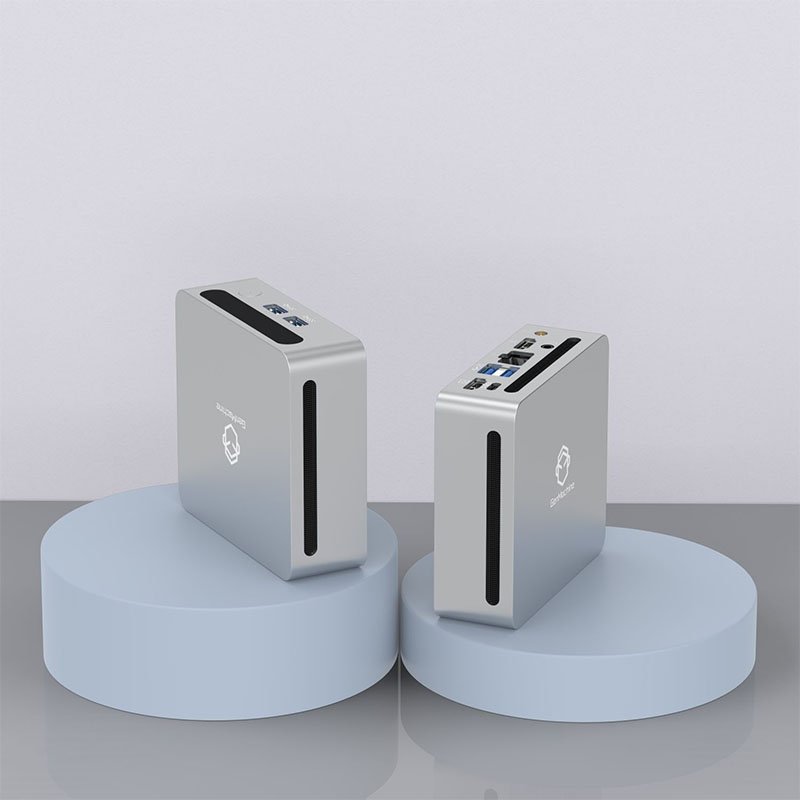
Storage and Memory in a Custom Mini PC
RAM selection follows standard desktop guidelines mostly—get enough for intended use, with 16GB serving most users well and 32GB benefiting heavier workloads. Mini-ITX boards typically have only two DIMM slots, so choosing appropriate capacity per stick matters more than usual.
Storage in compact builds often relies heavily on M.2 NVMe drives. They’re fast, compact, and don’t require cables cluttering already-tight spaces. Many Mini-ITX boards include two M.2 slots these days. Adding 2.5-inch drives remains possible in most cases for bulk storage needs, though clearance varies.
Wrapping Up Your Custom Mini PC Build
Building a custom mini PC delivers computing power in a footprint that makes sense for how people actually use their spaces. The process requires more planning than full-size building—components must work together in tighter constraints. But the result is a system tailored exactly to its intended purpose, occupying only the space it needs. For those willing to invest the planning effort, compact custom building offers rewards that pre-built systems rarely match. If you want to know more about mini pc, please read about How to pick a mini PC.
FAQ
How much does it cost to build a custom mini PC compared to buying pre-built?
Costs vary considerably based on specifications. Entry-level custom builds start around $300-400 for basic productivity systems. Gaming-capable configurations range from $600 to well over $1000. Pre-built systems sometimes cost less at the entry level due to volume purchasing, but custom builds often provide better value at mid-range and higher price points. Custom building also allows exact specification matching rather than accepting pre-built configurations that may include unwanted components or lack desired features.
Can a custom mini PC handle gaming effectively?
Yes, though with some caveats. Cases in the 10-15 liter range can accommodate mid-size graphics cards capable of 1080p and 1440p gaming without major compromises. Smaller cases limit GPU options to low-profile cards, which restricts gaming performance somewhat. Thermal throttling becomes a concern in the tightest enclosures during extended gaming sessions. Choosing a case with adequate ventilation and GPU clearance makes gaming on a compact system entirely viable.
Is building a custom mini PC harder than building a standard desktop?
The actual assembly requires similar skills—no soldering or specialized knowledge is needed. However, small form factor building does present additional challenges. Tighter spaces make cable routing more difficult. Cooler height restrictions limit options. Component compatibility requires more careful verification. Someone comfortable building standard desktops will manage small form factor builds, though first-time builders might find full-size cases more forgiving of mistakes.