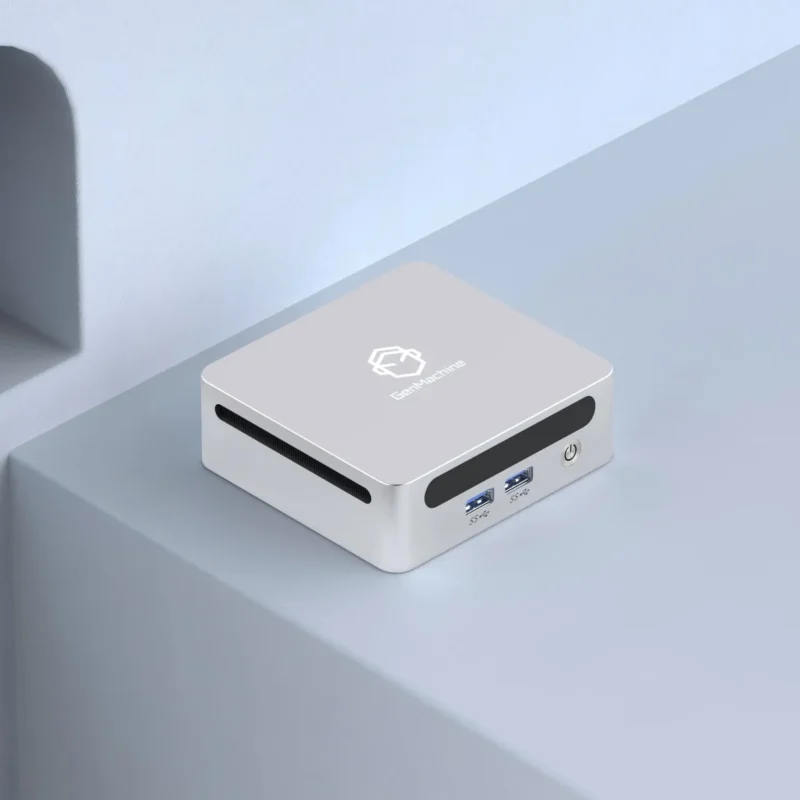
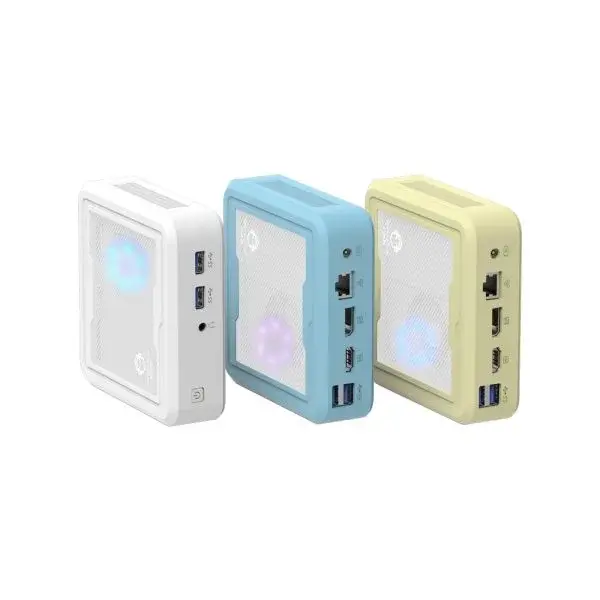
The world of computing has shifted dramatically over the last decade. I remember when having a “powerful” computer meant sacrificing half your legroom under the desk to a massive, humming tower that collected dust like a magnet. Thankfully, those days are largely behind us. The mini desktop computer has arrived, and frankly, it is changing the way we look at home offices. These compact machines pack a surprising amount of power into frames that are often smaller than a stack of CD cases (if anyone still remembers those).
Understanding the "Small Form Factor" Appeal
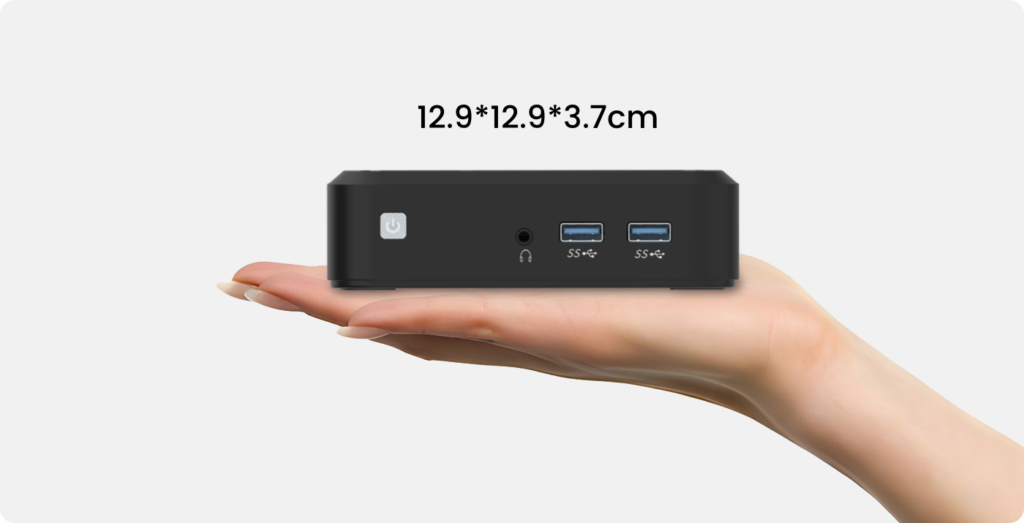
A mini desktop computer, often referred to in the industry as a Small Form Factor (SFF) PC, typically measures around 5 to 8 inches on each side. Some are even smaller, practically disappearing behind a monitor.
The appeal is pretty obvious once you set one up.
- Minimalism:It clears desk clutter instantly.
- Portability:You can toss it in a backpack if you need to move locations (try doing that with a tower).
- Energy Efficiency:They usually sip power compared to their full-sized cousins.
From an observational perspective, the technology has finally caught up to the concept. A few years ago, buying a mini PC meant accepting a slow, sluggish experience. Today? They are legitimate workhorses.
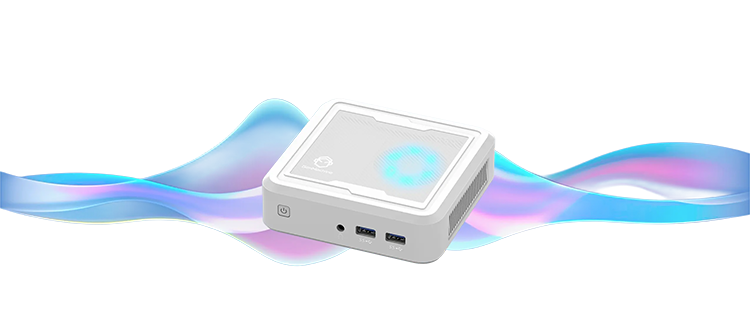
Who Actually Benefits Most?
Not everyone needs to downsize, to be fair. Hardcore gamers who need massive airflow for their graphics cards might still want a tower. But for the vast majority of users, a mini desktop computer is the sweet spot.
Here is who typically gets the most value out of them:
- The Home Office Worker:If you live in spreadsheets, Zoom calls, and browser tabs, these machines are perfect.
- Students:Dorm rooms are tiny; saving space is crucial.
- Media Center Enthusiasts:They make excellent dedicated streaming boxes for the living room TV.
- Minimalists:People who just want a clean, “Zen” aesthetic on their desk
Key Features to Evaluate (Don't Just Look at Price)
Before you throw your credit card at the cheapest option on Amazon, there are a few things you need to look at. Price is important, sure, but a cheap PC that lags when you open three tabs is just expensive e-waste.
Processing Power: The Brains
The processor (CPU) determines how smooth your life will be. This is also where you have to make a choice between “Team Blue” (Intel) and “Team Red” (AMD).
If you are looking for strong multi-tasking and better integrated graphics performance without buying a separate video card, opting for an AMD mini pc is often a smart move. In fact, many enthusiasts specifically hunt for a RYZEN mini pc because the chips are notoriously efficient and handle light gaming significantly better than their Intel counterparts.
- Budget Tier:Celeron or Pentium chips. Honest advice? Avoid these unless you are on a strictly tight budget.
- Power Tier:i7 or RYZEN 7 (and Apple’s M-series chips). These are for people editing video or compiling code.
Memory and Storage: Speed vs. Space
RAM is arguably more critical than the processor for feeling “fast.”
- 8GB RAM:This is the absolute minimum today. It works for basic browsing.
- 16GB RAM:This is where you want to be. It allows you to keep Slack, Spotify, and 20 Chrome tabs open without the computer choking.
For storage, the type matters more than the size. A mini desktop computer must have an SSD (Solid State Drive). If you see a computer listed with an “HDD” (Hard Disk Drive) as its main drive, run away. It will be painfully slow. A 256GB SSD is infinitely better than a 1TB HDD.
Connectivity: The "Dongle Life"
Because these computers are small, manufacturers sometimes skimp on ports. It’s annoying to buy a computer and then realize you can’t plug in your mouse and keyboard at the same time. Make sure it has:
- HDMI or DisplayPort:Ideally two outputs if you use dual monitors.
- USB-C:Essential for modern phones and fast data transfer.
- Ethernet:Wi-Fi is great, but a wired connection is always more stable for video calls.
Top Mini Desktop Computer Options Compared
The market is crowded, but a few models consistently rise to the top based on user feedback and general build quality. Here is a snapshot of the current landscape.
| Model | Processor | RAM | Storage | Best For |
|---|---|---|---|---|
| GenMachine Li2000 | AMD 2200U | 6GB / 16GB / 32GB | 256GB SSD / 512GB SSD / 1TB SSD / 2TB SSD | Entry-level, Daily Office, Multitasking, Professional Applications, Content Creation |
| Intel NUC 12 Pro | Intel i5-1240P | 16GB | 512GB SSD | Business & Reliability |
| Beelink SER5 | AMD RYZEN 5 | 16GB | 500GB SSD | Budget / Value |
| ASUS Mini PC PN52 | RYZEN 7 5800H | 16GB | 512GB SSD | All-Rounder Powerhouse |
| HP Elite Mini 800 | Intel i5-12500 | 16GB | 256GB SSD | Corporate / Office |
(Note: Prices fluctuate wildly, so it’s always worth checking for sales, especially on the older models).
The Budget Choice:GenMachine Li2000 AMD Mini PC
If you are looking for a highly cost-effective Windows mini PC, the GenMachine Li2000, powered by the AMD 2200U processor, supports a rich variety of memory and storage combinations to meet different usage needs. You can choose from 6GB, 16GB, or 32GB of RAM, paired with SSDs ranging from 256GB to 2TB, allowing you to configure the model that best suits your requirements. Whether you need lightweight office work, multitasking, or professional applications and content creation, this mini PC offers excellent performance options at an affordable price.
The "Bang for Buck" King: Beelink & Minisforum
If you haven’t heard of brands like Beelink or Minisforum, don’t worry. They are Chinese manufacturers that have aggressively taken over the budget space. A Beelink SER5, for example, is a highly capable AMD mini pc that often costs half the price of an equivalent Intel NUC. The build quality feels a little more “plasticky,” but the performance-per-dollar is undeniable. For a basic home setup, they are hard to beat.
The All-Rounder: ASUS PN52
For those who want reliability but prefer Windows, the ASUS PN52 is a fantastic option. As a high-performance RYZEN mini pc, it leverages the powerful RYZEN 5000H series mobile processors. It strikes a great balance between thermal management (it doesn’t get too hot) and raw processing speed, making it suitable for heavier workloads like photo editing.
Common Mistakes to Avoid
I’ve seen plenty of people buy a mini PC and regret it a week later. Usually, it comes down to a few predictable errors.
- Buying “Barebones” Kits:Some units are sold as “barebones.” This means they come with no RAM and no Hard Drive. If you aren’t comfortable opening a computer and installing parts yourself, make sure you buy a “Ready to Run” unit.
- Ignoring Fan Noise:Small computers have small fans. Small fans have to spin fast to move air. Some of the cheaper models can sound like a hair dryer when they are working hard.
- Overlooking Graphics:Most of these use “integrated graphics.” They are fine for 4K video playback, but they are not gaming consoles. Don’t expect to play Cyberpunk 2077 on a $300 box, even if it is a newer RYZEN mini pc model.
Final Thoughts
Finding the best mini desktop computer is really about being honest with your needs. If you just want to browse the web, watch Netflix, and edit some Word documents, you don’t need to spend $1,000.
However, if you want something that can handle a bit of light gaming or heavier multitasking, looking specifically for an AMD mini pc in the mid-range price bracket ($400-$600) is often the best strategy. The era of the giant beige box is over; these little machines are capable, space-saving, and surprisingly robust. It’s just a matter of picking the right one for your desk. If you want to know more about AMD Mini PC, please read How to Choose Mini PC for Different Needs?