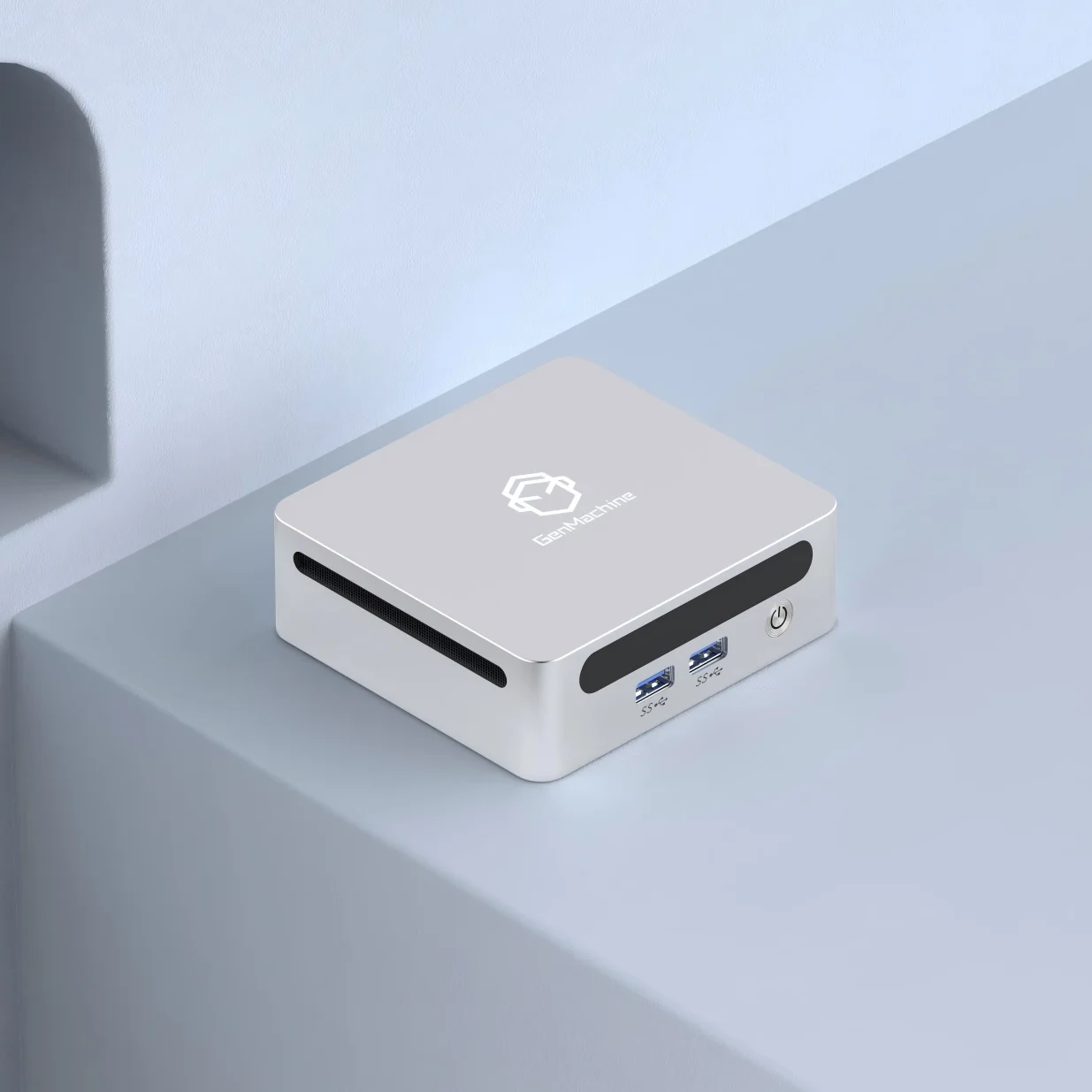
Walk into any train station or university library these days, and portable computers are everywhere. Some people tap away on slim laptops. Others scroll through tablets propped against coffee cups. The variety is honestly a bit dizzying if you stop to notice it.
But what exactly counts as a portable computer? And why do some sources say there are four main types while others list more? From traditional laptops to compact Mini PC units that fit in your palm, the category has expanded dramatically. Understanding the four main types helps when shopping for something new or simply trying to make sense of current options.This guide attempts to clear things up—covering the four primary categories of portable computers that most people encounter, along with their quirks and practical differences.
Understanding Portable Computers in General
Portable computers, at their core, are computing devices designed to travel with users. That sounds obvious, maybe. But the category has expanded dramatically since the early days of computing.
Back in the 1980s, “portable” meant something you could theoretically carry—even if it weighed 25 pounds and barely fit under an airline seat. Now? Some portable computers weigh less than a paperback book. The progress has been remarkable, though not always linear. Some designs flopped spectacularly along the way.
What unites all portable computers is independence from a fixed location. Battery power, compact form factors, integrated displays—these characteristics define the category. Beyond that, though, significant differences emerge.
The Four Main Types of Portable Computers
Most experts agree on four primary categories. Each serves different needs, and honestly, each has loyal defenders who swear their preferred type is superior. The truth is messier: it depends entirely on how someone actually uses their device.
Laptops (Traditional Notebooks)
Laptops remain the most widely recognized portable computers on the market. That familiar clamshell design—screen hinged to a keyboard base—has proven remarkably enduring since the 1980s.
What draws people to laptops is their all-in-one nature. Everything needed for a complete computing experience comes integrated:
- Display (typically 13-17 inches)
- Full keyboard and trackpad
- Built-in speakers and webcam
- Multiple ports for peripherals
- Internal battery for unplugged use
Modern laptops range from budget-friendly Chromebooks to high-performance workstations. Gaming laptops pack serious graphics cards. Ultrabooks prioritize thin profiles and long battery life. Business notebooks focus on security features and durability.
The variety is almost overwhelming, truthfully. But that’s the strength of this category—there’s probably a laptop configuration for nearly any need.
Tablets
Tablets took the computing world by storm about fifteen years ago and carved out their own distinct niche among portable computers. The formula is straightforward: a touchscreen slate without a permanently attached keyboard.
This simplicity appeals to certain users. Content consumption becomes effortless—reading, streaming, browsing social media. Artists appreciate drawing directly on screen with a stylus. Business travelers like the compact footprint for airplane tray tables.
Some notable tablet characteristics include:
- Lightweight design (usually under 1.5 pounds)
- Touch-first interface
- Optional keyboard accessories
- Strong app ecosystems
- Instant-on functionality
Tablets aren’t ideal for heavy productivity work, though. Extended typing sessions feel awkward even with keyboard attachments. File management can frustrate users accustomed to traditional operating systems. But for the right use cases? Tablets genuinely shine.
2-in-1 Convertible Devices
Here’s where portable computers get interesting. 2-in-1 devices attempt to merge laptop functionality with tablet flexibility. The results vary—some pull it off beautifully, others feel like compromises in both directions.
Two main designs dominate this category:
- Detachable 2-in-1s:The screen separates completely from the keyboard base
- Convertible 2-in-1s:A 360-degree hinge allows the keyboard to fold behind the screen
The appeal makes sense on paper. Why carry two devices when one could serve both purposes? Presentation mode, tent mode, tablet mode, laptop mode—all from a single piece of hardware.
Real-world experiences vary. Some users absolutely love the flexibility. Others find themselves defaulting to laptop mode 90% of the time, making the convertible features feel unnecessary. Worth considering carefully before purchasing.
Mini PCs (Compact Desktop Alternatives)
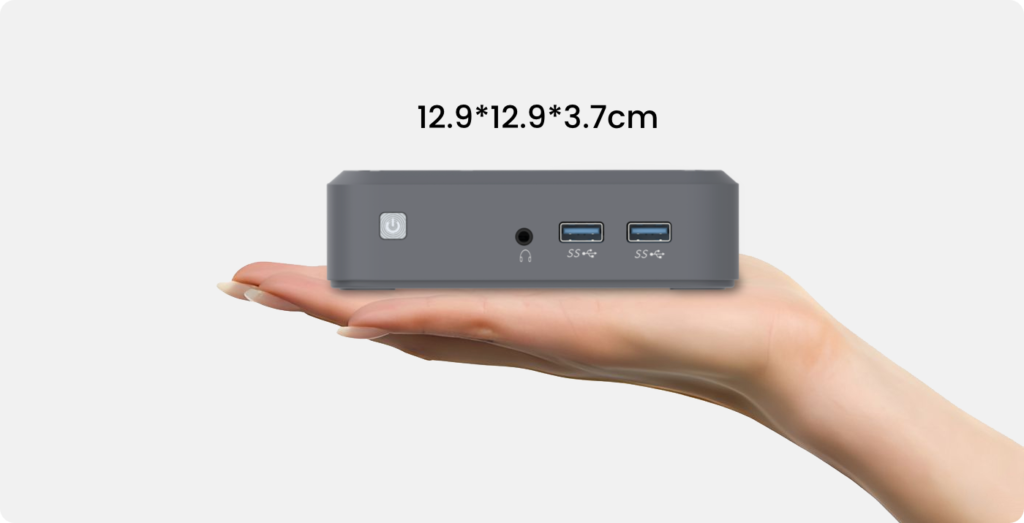
This category often surprises people when discussing portable computers. Mini PCs don’t have built-in screens or batteries—so how are they portable exactly?
The answer lies in their compact form factor. These tiny machines (sometimes smaller than a paperback book) can be relocated easily, tucked into a bag, or mounted behind a monitor. They’re portable in a different sense than laptops, but portable nonetheless.
Mini PCs have gained serious traction recently. The processing power available in such small packages has improved dramatically. Units like the GenMachine Yi7000 7840HS demonstrate just how capable these compact systems have become—packing AMD Ryzen 7 7840HS mini PC processors into housings that barely take up desk space.
Why choose a Mini PC over a traditional laptop? Several reasons:
- Superior thermal management compared to cramped laptop chassis
- Easier upgrades (RAM, storage)
- Better value for equivalent performance
- Quieter operation in many cases
- Works with any monitor, keyboard, and mouse setup
For users who move between locations but always have access to displays—think office workers with multiple workstations, or people splitting time between home offices—Mini PCs offer compelling advantages.
Comparing Portable Computers at a Glance
Choosing between these portable computers requires weighing priorities. This comparison table highlights key differences:
| Feature | Laptops | Tablets | 2-in-1 Devices | Mini PCs |
|---|---|---|---|---|
| Built-in Display | Yes | Yes | Yes | No |
| Built-in Battery | Yes | Yes | Yes | No |
| Typical Weight | 2-6 lbs | 0.5-1.5 lbs | 2-4 lbs | 0.5-2 lbs |
| Upgradeability | Limited | None | Limited | Good |
| Performance Potential | High | Medium | Medium-High | Very High |
| Best Portability | Good | Excellent | Good | Moderate |
| Example Model | Various | iPad, Galaxy Tab | Surface Pro | GenMachine Yi7000 7840HS |
Choosing the Right Portable Computer
Consider Your Primary Use Case
Different portable computers excel in different scenarios. Being honest about actual needs—not aspirational ones—saves money and frustration.
For maximum mobility: Tablets or ultralight laptops work best. Anything under 3 pounds becomes barely noticeable in a bag.
For creative work: High-performance laptops or tablets with stylus support. Some 2-in-1 devices hit this sweet spot nicely.
For desktop-class performance with flexibility: A Mini PC like the GenMachine Yi7000 7840HS delivers serious power while remaining relocatable. Pair it with a portable monitor for a surprisingly versatile setup.
Don't Overlook Mini PCs
The Mini PC category deserves more attention than it typically receives. These compact portable computers solve problems that laptops struggle with—thermal throttling, limited upgradeability, keyboard and screen compromises.
Someone working from home but occasionally visiting clients might find a Mini PC ideal. Toss it in a bag, connect to whatever monitor exists at the destination, and enjoy full desktop performance. The GenMachine Yi7000 7840HS represents this philosophy well—compact enough for easy transport, powerful enough for demanding tasks.
Final Thoughts
The four types of portable computers—laptops, tablets, 2-in-1 devices, and Mini PCs—each address different needs and priorities. No single type wins across all categories. That’s actually a good thing, though. Options mean finding something that genuinely fits individual circumstances rather than settling for one-size-fits-all solutions.
Portable computers will keep evolving, naturally. The lines between categories blur more each year. But understanding these fundamental types provides a framework for making informed decisions—whether that means grabbing an ultralight tablet for casual use or investing in a powerhouse Mini PC setup for serious work.If you want to know more about Mini PC, please read:How to Choose Mini PC for Different Needs.