The Reality Behind the Average Lifespan of a Mini PC
It is becoming incredibly common to see massive, dusty desktop towers being hauled out of modern offices, quickly replaced by tiny, unassuming little boxes. Watching this transition happen across countless workspaces, a very practical question usually surfaces about durability. Exactly how long does a Mini PC actually survive when forced to handle daily computing tasks?
To be completely honest, the answer is rarely a simple, flat number. It depends heavily on the daily workload, the physical environment, and the initial build quality of the machine. However, observing these devices functioning in real-world scenarios, a standard Mini PC generally holds up for about three to five years before it starts showing serious signs of aging.
Some premium models certainly push past that five-year mark (sometimes lasting seven or eight years if well-maintained), while ultra-cheap budget units might start stuttering and freezing after just eighteen months. It is a somewhat vague timeline, sure. But understanding what actually causes these small form factor computers to finally give up the ghost helps immensely in setting realistic expectations.
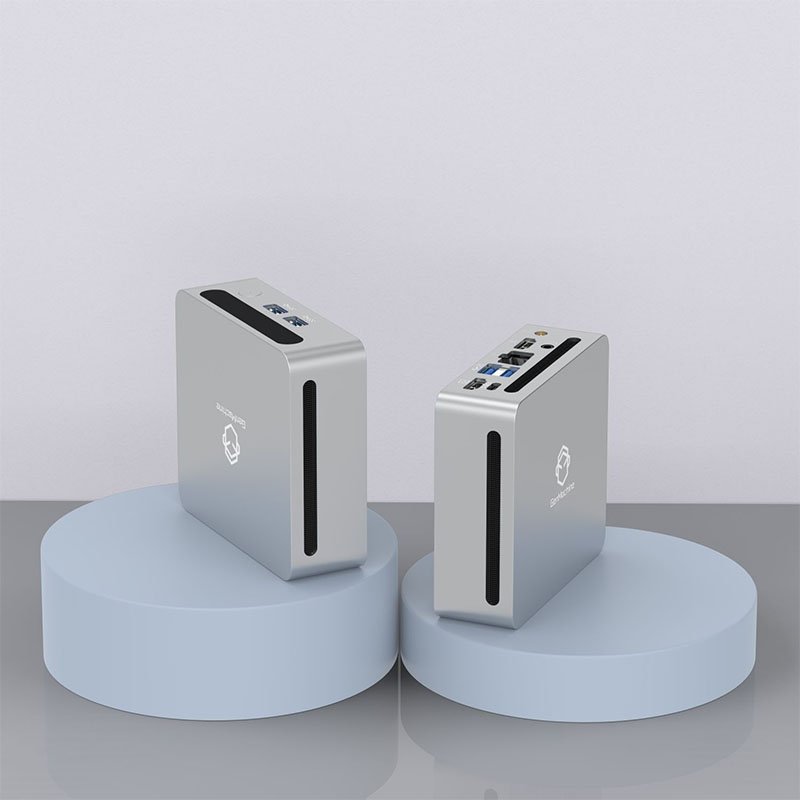
What Actually Kills a Mini PC? (Hint: It Is Usually Heat)
When evaluating hardware longevity, it is pretty much impossible to ignore the basic laws of physics. Cramming a motherboard, processor, memory, and storage into a metal or plastic case the size of a hardback novel creates one glaring, unavoidable issue. The heat generated by the electronics has very few places to go.
The Thermal Management Struggle
A typical Mini PC—say, something like a 7330U AMD Mini PC—relies on a tiny, laptop-style blower fan and a modest heatsink to keep everything cool. When the device is brand new out of the box, this cooling system works perfectly fine. But over time, the environment takes its toll. Dust is easily the absolute worst enemy of compact computers. As pet hair, dust mites, and general room debris get sucked into those tiny ventilation grilles, the fan has to spin faster and significantly louder just to compensate for the blocked airflow.
Eventually, the cooling system simply cannot keep up with the demand. The internal temperatures rise, the processor automatically slows itself down to prevent melting, and suddenly the computer feels painfully sluggish. Prolonged exposure to this high heat is usually what causes the delicate motherboard components inside a Mini PC to fail long before their theoretical expiration date.
How Long Different Types of Mini PC Models Actually Last
Not all compact computers are created equal, and expecting them all to have the exact same lifespan is just not realistic. The market is currently flooded with everything from bargain-bin digital signage boxes to high-end gaming rigs that just happen to be incredibly small.
| Market Category |
Typical Price Range |
Average Functional Lifespan |
Most Common Reason for Eventual Replacement |
|---|---|---|---|
Budget / Entry-Level |
Very Low |
2 to 3 years |
The processor simply becomes too slow for modern, heavy web browsing |
Mid-Range / Office |
Moderate |
3 to 5 years |
Outdated connection ports, failing Wi-Fi cards, or general software bloat |
High-End / Gaming |
Premium |
4 to 6 years |
Unable to run the newest games or video editing software at acceptable speeds |
Looking at this breakdown, it becomes rather clear that catastrophic hardware failure isn’t always the main culprit. Very often, a Mini PC simply becomes technologically obsolete and too slow for modern applications long before the actual circuitry dies.
Practical Ways to Extend the Life of a Mini PC
Anyone who spends time maintaining electronics knows that a little bit of preventative care goes a remarkably long way. There are actually a few incredibly simple habits that can easily add a year or two to a device’s functional life, keeping it out of a landfill just a bit longer.

Basic Physical Maintenance
The physical placement of the machine matters significantly more than most users realize. To keep the hardware running happily:
Keep the unit elevated off the floor to avoid sucking in carpet dust, dirt, and pet dander.
Use a simple can of compressed air every few months to gently blow out the exhaust vents.
Avoid cramming the device into a tightly enclosed media cabinet or drawer where hot air simply recirculates endlessly.
Consider using the included VESA mount to attach it to the back of a monitor, which usually provides excellent, unobstructed airflow.
Software Reality Checks
Beyond just the physical hardware, managing the digital side is equally important for long-term operational stability.
Always leave at least fifteen to twenty percent of the internal storage drive completely empty to prevent the solid-state drive (SSD) from wearing out prematurely.
Regularly uninstall heavy background applications that automatically load on startup and eat up valuable system memory.
Keep the BIOS and operating system fully updated to ensure the system handles background processes and thermal curves as efficiently as possible.
There is a certain satisfaction found in keeping a machine running smoothly well past its expected retirement date just by doing some basic, routine upkeep.
FAQ
Does leaving a Mini PC on all the time reduce its lifespan?
Leaving the computer running continuously does slowly wear down moving mechanical components, specifically the tiny cooling fan. However, constantly turning it off and on multiple times a day creates thermal stress from the internal hardware repeatedly heating up and cooling down. For a modern Mini PC, putting it to sleep or hibernation when not in use is generally the best middle ground for preserving its overall lifespan.
Can the processor in a Mini PC be upgraded to make it last longer?
In almost all cases, no. Unlike bulky traditional desktop towers, the processor in a small form factor computer is permanently soldered directly to the motherboard to save maximum space. While it is usually possible to upgrade the RAM and the storage drive to squeeze out a bit more performance, the processor bought on day one is the processor the machine will have forever.
When should a Mini PC finally be replaced?
A full replacement is usually necessary when the system can no longer handle basic daily tasks without frustrating, noticeable delays, even after performing a complete factory reset. Additionally, if the internal fan becomes incredibly loud and grinds, the system overheats constantly causing random shutdowns, or it can no longer upgrade to the latest secure operating system, it is definitely time to start shopping for a new unit.