Most mini PCs are bought for a desk and judged like a desktop: one benchmark, a glance at the ports, a price comparison. The same hardware now runs signage players, edge gateways, camera recorders and virtualization hosts, where a year of duty means 8,760 hours of heat, dust and writes rather than 2,000 hours of intermittent use.
Choose a mini PC for 24/7 operation by ranking four specifications above benchmark scores: thermal headroom that holds sustained clocks at the site’s ambient temperature, idle power draw that keeps energy cost and internal heat low, storage rated for years of continuous writes, and firmware that lets the machine recover with nobody on site. Peak processor performance comes fifth, because a unit that throttles in month fourteen never delivers the number on its box.
The sections below follow the order in which those decisions affect service life.
What 24/7 Operation Really Demands From a Mini PC
A mini PC can run for years without stopping, but only when its cooling, storage and power path are sized for continuous duty instead of short bursts. The risk is not the runtime itself but the steady heat, dust and write volume that accumulate while nobody watches.
Eight hours a day on weekdays is about 2,080 hours a year. Always-on is 8,760, and the unit never cools long enough to shed the heat soaked into its heatsink and storage.
| Runtime pattern | Hours per year and what it stresses first |
| 8 hours, weekdays | About 2,080 hours; thermal cycling and power-on surges |
| 12 hours daily | About 4,380 hours; fan hours and dust accumulation |
| 24/7 light load | 8,760 hours; capacitor aging, dust, bearing wear |
| 24/7 sustained load | 8,760 hours; junction temperature, voltage regulation, storage heat |
Continuous load is not the same as heavy load
Most always-on roles are light: a signage player decodes video, a gateway forwards packets, a logger writes a few hundred megabytes a day, and average utilization often sits between 10 and 20 percent. The processor may be idle, yet the enclosure still stabilises 10 to 15 degrees Celsius above ambient at 12 W, and that heat ages capacitors and pushes storage controllers toward throttling. A modest processor in a good chassis outlasts a fast one in a thin case.
Five failure paths that decide service life
- Thermal aging of capacitors and solder joints, the dominant long-term mode and the one cooling controls.
- Fan bearing wear, which a 50,000 to 100,000 hour rating reaches within 5.7 to 11.4 years.
- Dust matting the fins, which raises temperature before it raises noise.
- NAND wear from logging and recording, plus controller slowdown once the cache fills.
- Power events: surges, brownouts and ungraceful shutdowns.
Match the Hardware to the Duty Cycle, Not the Spec Sheet
Start from the role the machine will perform, then work back to processor class, memory size and storage layout. A signage player and a virtualization host both run around the clock, but they stress different parts of the system, and a specification chosen for one is often wrong for the other.
Write the role down before opening a product page, because it decides which three specifications deserve the budget.
| Always-on role | Limiting resource |
| Signage or kiosk | Video decode and a stable display output |
| Gateway or firewall | Network interfaces, latency, fanless operation |
| Camera recording | Storage endurance, controller quality, drive temperature |
| Virtualization host | Memory capacity, core count, sustained cooling |
| Back-office terminal | Power stability and remote recovery |
Processor class and sustained clocks
Specification sheets quote base and turbo power, and compact chassis rarely sustain the second. A 15 W class part in a passively cooled body is honest about its ceiling; a 45 W class part in the same body lives throttled, fan at full speed, storage running hotter than necessary.
Memory and storage headroom for months of uptime
Always-on systems accumulate state: logs grow, caches fill, agents leak a few megabytes a week, and a configuration that feels comfortable on day one can be paging by month six. Treat 16 GB as the floor for light duty and 32 GB as the start for virtualization, keep 20 to 30 percent unallocated, and separate system volume from data when a second slot exists. Buyers comparing role-based configurations can review Common Mini PC Solutions before fixing a budget.

Thermal Design Is the Single Most Important Specification
Thermal design decides how long a 24/7 machine lasts and whether it still holds rated speed in month eighteen. Two units with identical processors can differ by years of service life depending on how the chassis moves heat away from storage and memory, not just from the processor die.
Reliability engineering relies on the Arrhenius relationship, which predicts that time to failure falls exponentially as temperature rises, and it has been applied successfully to the chemical, diffusion and migration mechanisms behind most non-mechanical electronics failures, as documented in the NIST/SEMATECH e-Handbook of Statistical Methods. Failure rates roughly double for every 10 degrees Celsius of extra heat, so a 15 degree reduction can halve them, and that reduction comes from heatsink area and airflow rather than fan speed.
Active cooling versus fanless for always-on duty
| Cooling approach | Trade-off in continuous duty |
| Fanless | No bearing to wear and no intake air carrying dust, but the chassis is the heatsink, sustained capacity is usually a 15 W class processor, and the surface runs hot |
| Active | Higher sustained capacity, typically 35 to 65 W, and cooler internals, but the fan is the only moving part and intake air deposits dust on the fins |
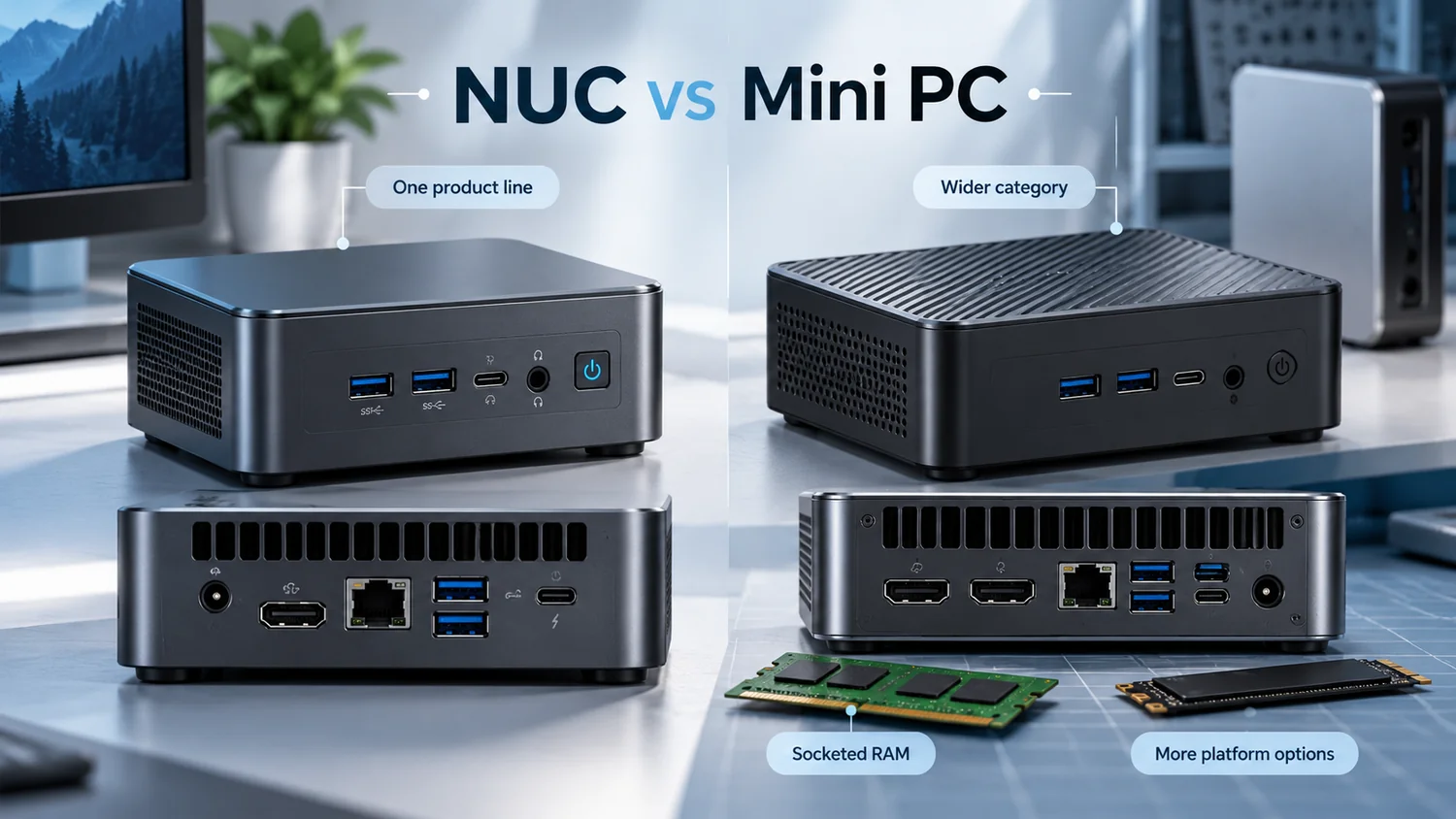
Fanless suits light, quiet, dusty or unattended roles with a genuinely low-power processor. Active cooling suits sustained workloads, because the alternative is a passive unit running permanently at its ceiling. Anyone weighing the two should read Are mini PCs fanless before assuming silent means cooler.
What a credible thermal design looks like
- Heat pipes spreading heat across the full fin stack, not concentrating it above the processor.
- Intake and exhaust on opposite faces, so heated air leaves instead of recirculating.
- Thermal pads linking the drive and memory to the chassis, since those parts age fastest in still air.
- A serviceable filter, or fin spacing wide enough to brush clean.
Ambient temperature and placement
Always-on hardware often sits where nobody would put a desktop: a closed rack cabinet, a ceiling void, a shelf beside a router. A cabinet closed on four sides runs 10 to 15 degrees warmer than the room, so a unit rated for 35 degrees Celsius ambient may already be at its limit. Leave five centimetres around vents and never place a fanless chassis on carpet.
Power Draw, Efficiency and the Real Cost of Uptime
Power draw matters less for the monthly bill than most buyers expect and more for everything around it: heat inside the enclosure, uninterruptible supply sizing, and how many units one circuit can carry. A device idling at 12 W instead of 25 W also runs cooler, which feeds back into service life.
At 0.15 per kilowatt hour, annual figures are modest per unit and scale quickly across a fleet.
| Continuous draw | Annual energy over 8,760 hours and cost |
| 10 W | 88 kWh, about 13 per year |
| 15 W | 131 kWh, about 20 per year |
| 25 W | 219 kWh, about 33 per year |
| 35 W | 307 kWh, about 46 per year |
Moving 100 units from 25 W to 15 W saves roughly 8,760 kWh a year, close to 1,300 at that tariff, and removes the matching heat from the room.
Idle efficiency matters more than peak efficiency
An always-on unit spends most of its life near idle, so efficiency at 10 to 20 percent load matters more than a headline figure measured at full load. ENERGY STAR certified computers are tested to use roughly 30 to 40 percent less energy than standard models, largely through idle-state management, as described in the ENERGY STAR computers programme. An oversized adapter running at 10 percent of its rating is often less efficient than a correctly sized one.
Adapter quality, UPS and power-loss behaviour
- Protect the input with a surge protector, and add an uninterruptible supply wherever an ungraceful shutdown would corrupt a recording or a virtual machine.
- Change the firmware setting for behaviour when mains returns, because the default is frequently to stay off.
- Size the supply for runtime rather than wattage; a 25 W load needs a smaller unit than most buyers assume. For a fuller cost model, see this guide to Mini PC Power Consumption.
Storage and Memory Choices That Survive Years of Uptime
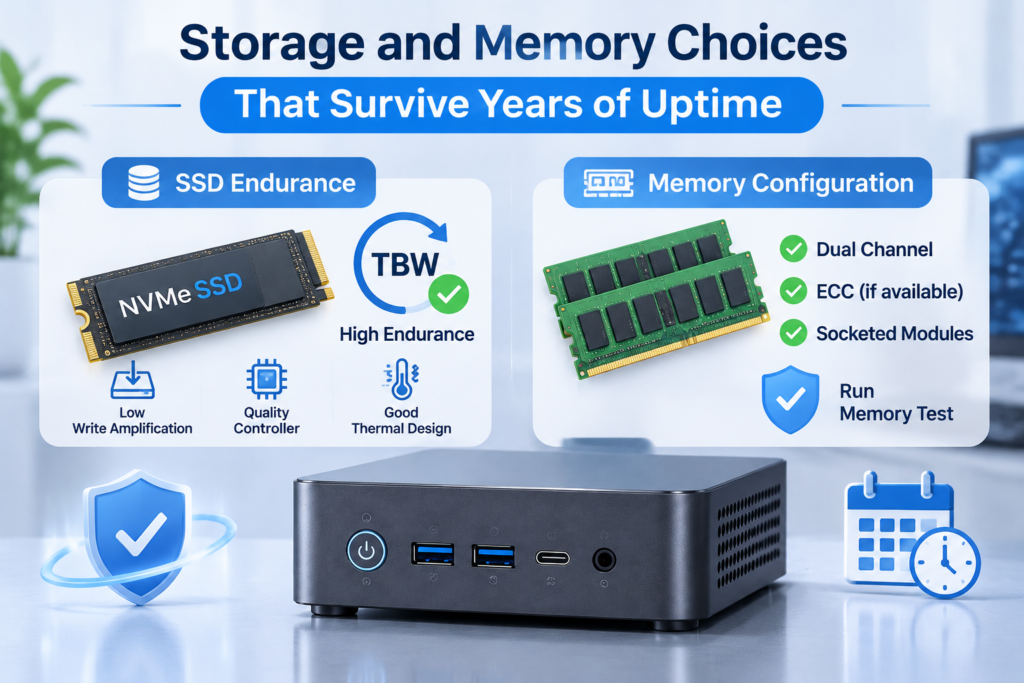
In an always-on machine, storage fails from write volume and heat rather than age, and memory fails from marginal modules that were never stressed before deployment. Buy endurance ratings, controller quality and slot access rather than the largest capacity on the price list.
Flash storage removed the spindle but replaced one wear mechanism with another: NAND cells tolerate a finite number of program and erase cycles, reported as terabytes written.
SSD endurance and write amplification
Logging 20 GB a day consumes about 7.3 TB a year, so a 300 TBW drive would last decades. Write amplification changes that arithmetic, since small random writes and snapshots can triple committed bytes. The more common failure in compact systems is a stalled controller: drives without a DRAM cache, or using dense quad-level cells, can fall to a fraction of rated speed once the fast cache fills, which in a recording role looks exactly like a failing machine.
Memory configuration and error handling
Memory faults rarely announce themselves; they appear as an unexplained reboot after 40 days or a service that stops responding. Consumer mini PCs seldom offer error correcting memory, so the defences are matched pairs for dual channel bandwidth, socketed modules so a failure can be repaired, and a memory test of several hours during acceptance. Anyone replacing modules during a refresh can follow this guide to Mini PC RAM Upgrade to confirm slot type and clearance before ordering.
Firmware and Management Features for Unattended Sites
The features that keep a fleet alive are unglamorous: the machine must return by itself after a power cut, recover from a hung service, and allow a reinstall without a site visit. These capabilities cost almost nothing at purchase and are close to impossible to add later.
A mini PC in a shop or remote office is usually the only computing device on site, with no technician nearby.
Auto power-on, watchdog and scheduled wake
- Restore on AC power loss, so the unit restarts when mains returns.
- A watchdog timer, so a hung system reboots instead of staying dark.
- Real-time clock wake, which suits signage that should not run displays all night.
- Wake on LAN and network boot, to reach a powered-off unit and reimage it without opening the case.
Remote access and update policy
Look for a remote power path through out-of-band management, a network-controlled power switch with wake on LAN, or a reboot policy enforced by the operating system. Test updates on one unit, keep a known-good image, and separate firmware from operating system updates so a failure can be attributed.
Mechanical Build, Dust and a Maintenance Routine That Fits
Dust is the slowest and most predictable failure mode in continuous duty. A unit cleaned twice a year runs cooler, quieter and longer than an identical unit that is never opened, and the gap is visible within two years.
Dust does not simply insulate a heatsink. It collects on fan blades, unbalancing them and loading the bearing, and mats the fins where airflow is slowest. The controller compensates by spinning faster, so the first symptom is noise, then throttling.
Enclosure, mounting and airflow clearance
Mounting is a reliability feature. A VESA bracket keeps the unit behind a display, where airflow is better than inside a cabinet, and a rail mount keeps it fixed in a control panel instead of resting on a transformer. Keep the intake away from amplifiers and power supplies.
A maintenance schedule for always-on units
| Interval | Action |
| Monthly | Review temperature and fan telemetry, confirm backups, check for unexpected reboots |
| Quarterly | Clear dust from intake and fins, listen for bearing noise, run the supply self-test |
| Annually | Verify storage health, confirm firmware versions, check mounting and cabling, reassess headroom |
| Every three years | Renew thermal interface material, replace supply batteries, reassess whether the unit still fits the workload |
How to Validate a Supplier Before Committing to a Fleet
A single sample proves very little about a production batch. Validate with a burn-in protocol, a documented thermal test at your own ambient temperature, and commercial terms covering spare parts and repair turnaround, because the cost of an always-on fleet is dominated by the failures you have to service rather than by purchase price.
Failures in continuous duty cluster around a few units that were marginal from the start, so testing a sample under harsher conditions than the real installation surfaces most of them.
Burn-in and thermal soak testing
- Run 48 to 72 hours of combined processor and storage load at the ambient expected on site, not in an air-conditioned office.
- Log temperatures and record clock reduction; a unit that throttles under soak will throttle in service.
- Perform at least 20 power cycles, including abrupt removal of mains power.
- Compare storage health counters before and after, and test memory for several hours.
- Repeat on 3 to 5 percent of the batch, requesting a record per unit rather than one summary certificate.
Warranty, spare parts and total cost of ownership
Confirm warranty length, whether replacement is advance exchange or return to depot, how long identical units and spares stay available, and how long firmware updates will be issued. Then compare total cost of ownership rather than unit price: purchase cost, energy over the service life, the labour cost of each site visit, and the cost of downtime. A cheaper unit needing one technician visit a year often costs more than a better-built unit needing one every three. Organisations standardising hardware across sites can apply the principles in this guide to Enterprise Deployment.

A Selection Checklist You Can Score
If a specification sheet answers the twelve questions below with a number rather than an adjective, the machine is ready for continuous duty. If it answers with phrases such as high performance or efficient cooling, the missing data is the risk you would be accepting.
- What sustained processor wattage can the chassis dissipate at 35 degrees Celsius ambient?
- What is the processor temperature after an hour at full load in that ambient?
- Does the airflow path cross the storage drive and memory modules?
- Is the storage rated in terabytes written, and does it have a DRAM cache?
- Are memory modules socketed, and how many slots remain free?
- What is the measured idle power draw?
- Does the firmware restore power-on state after mains loss, and is a watchdog available?
- Is there a remote path to power cycle and reimage the unit?
- How many hours is the fan rated for, and is it replaceable?
- At what ambient temperature is the warranty valid?
- Are spare units and parts available for the expected service life?
- What is the warranty turnaround, and is advance replacement offered?
| Duty class | Minimum configuration |
| Light, such as signage or a gateway | 15 W class processor, 8 to 16 GB memory, 256 to 512 GB SSD with DRAM cache, fanless or low-speed fan |
| Medium, such as recording or a small server | 25 to 35 W class processor, 16 to 32 GB memory, 1 TB SSD, active cooling with a serviceable fan |
| Heavy, such as virtualization or inference | 45 W class processor with thermal headroom, 32 to 64 GB memory, system drive plus a second slot, cooling rated for sustained load |
FAQ
These three questions arrive once the specification decisions are settled, and each has a practical answer rather than a rule.
Is it better to leave a mini PC running or shut it down daily?
Leave it running if other people or devices depend on the service, and shut it down if it is used for a couple of hours a day. Continuous operation avoids thermal cycling and the inrush current that stresses the power path at every start, while daily shutdown saves energy on a machine that would otherwise idle for 22 hours.
How long can a mini PC run continuously before it needs a reboot?
A modern operating system can stay up for months, but uptime is not a performance metric. Memory fragmentation, pending updates and slow resource leaks degrade responsiveness long before anything fails, and most organisations schedule a monthly reboot during a low-demand period.
Does a fanless mini PC last longer in 24/7 duty?
Only when the workload is light and the ambient is controlled. Removing the fan eliminates the most common wear item, but a fanless chassis must still dissipate the same heat through its surface, so it runs hotter internally. In a dusty site with a 15 W class workload fanless wins; for sustained compute, a well-designed active unit usually lasts longer.