Compact computers are chosen on processor speed, memory and storage, yet the cost that keeps accumulating afterwards is electricity. A machine running every hour of every day turns a handful of watts into a permanent line item on a utility bill.
A typical low-power Mini PC draws roughly 5 to 15 W while idle and 20 to 40 W under sustained load at the wall outlet, which amounts to about 44 to 131 kWh a year if it runs continuously. At a residential average near 18 cents per kWh, that is about 8 to 24 US dollars annually, an order of magnitude below what an older tower desktop consumes for the same duty.
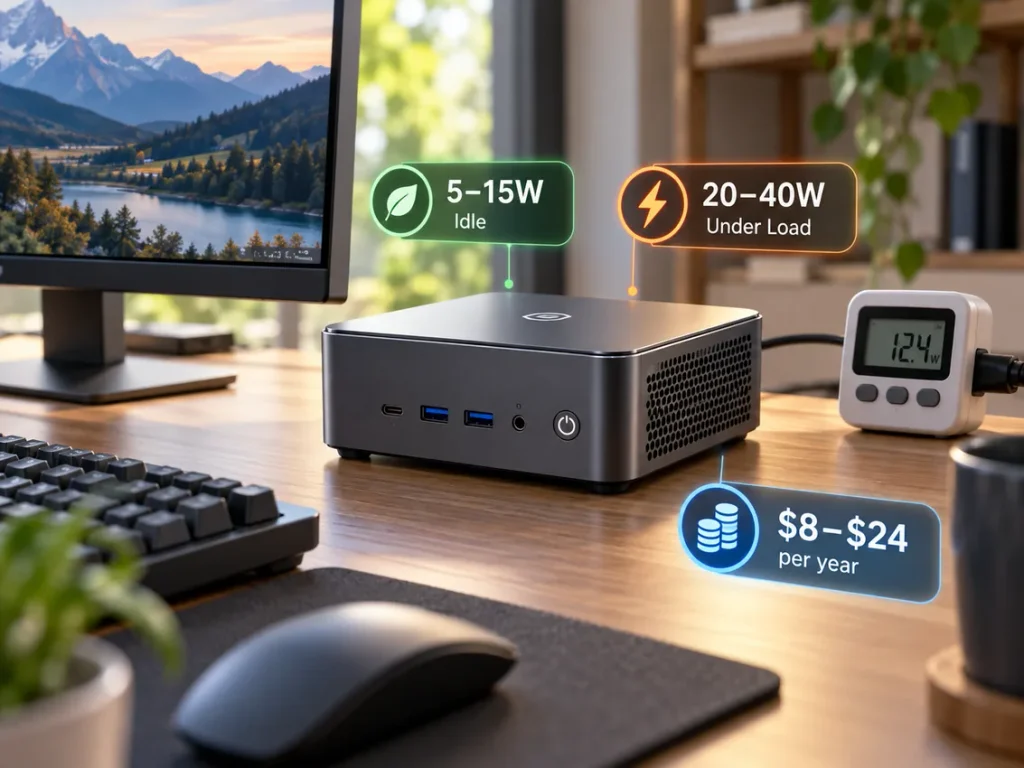
The sections below break that range down by processor class and workload, explain how to convert any wattage figure into a yearly cost, and identify the settings that genuinely change it.
How Much Electricity Does a Mini PC Use?
Measured at the wall outlet, a Mini PC on a low-power processor typically idles between 5 and 10 W, sits around 8 to 15 W during ordinary desktop work, and peaks between 20 and 40 W under sustained all-core load. High-performance models with 45 W-class processors idle higher and can exceed 60 W when the load is sustained. These are reference ranges for the product class rather than universal measurements, because chassis design, storage type, memory configuration and firmware power limits all shift the result.
Two machines sold with the same processor can differ by several watts at idle, depending on memory arrangement, storage type and default power policy. Starting from platforms engineered around a low idle floor, such as the range of cost-effective Mini PC options, keeps the arithmetic favourable.
Reference Power Ranges by Processor Class
The best predictor of a compact system’s consumption is its processor class: efficiency-core designs trade burst speed for a very low idle floor, while performance designs carry a higher sustained ceiling.
| Processor class | Nominal TDP or base power | Idle at the wall | Everyday use at the wall | Sustained heavy load at the wall |
| Low-power efficiency class | 6 W | 5-8 W | 8-12 W | 15-25 W |
| Mainstream mobile class | 15 W | 8-12 W | 12-20 W | 25-45 W |
| Performance mobile class | 35-55 W | 10-18 W | 20-35 W | 45-70 W and above |
The ranges describe the class, not any individual product, and the sustained figure can be exceeded briefly.
Wall Power, Processor Package Power and TDP Are Not the Same Thing
Thermal Design Power is a thermal engineering target rather than a measurement of socket draw. The processor vendor defines it as the power the cooling solution should be designed to handle and warns that turbo operation can exceed it briefly. Recent generations publish the same value as Processor Base Power, and the vendor’s own documentation on how processor thermal design power is defined is worth reading when comparing specification sheets.
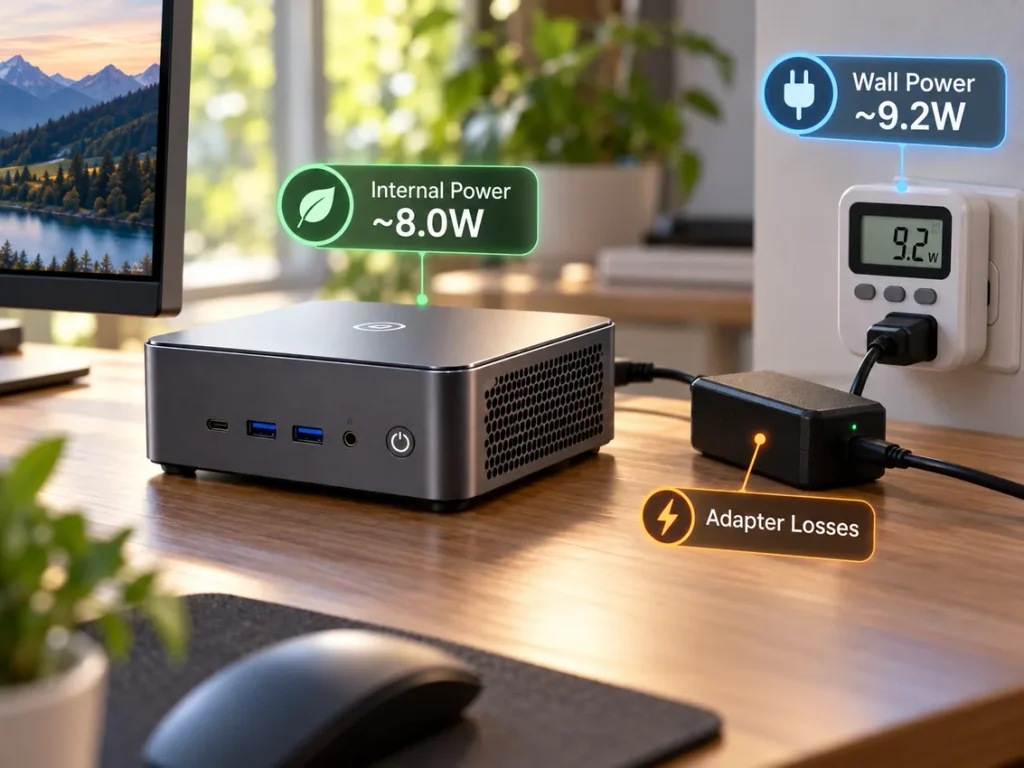
Wall power is the only figure that matters for a bill. It covers the processor package and its integrated graphics, memory, storage, networking, fans and voltage regulation, then adds the losses inside the external adapter, which on barrel-jack adapters is typically 85 to 90 percent efficient, so a machine drawing 8 W internally can pull close to 9 W from the outlet. Published certification data shows the same picture under a documented test method, with certified compact desktop records reporting roughly 0.7 W switched off, 1.9 W asleep and 11.5 W in long idle.
The Formula for Turning Watts Into Yearly Cost
Annual electricity cost equals average watts divided by one thousand, multiplied by hours of operation per year, multiplied by your price per kilowatt-hour. One watt drawn continuously for a full year equals 8.76 kWh, so at roughly 18 cents per kWh each sustained watt costs about 1.6 US dollars every year it runs.
Working in kilowatt-hours rather than watts makes comparisons possible across devices, and the operating-hours assumption matters more than small differences in wattage: a 12 W machine running continuously consumes about 105 kWh, against 24 kWh over an eight-hour working day.
- Measure the actual wall draw with a plug-in power meter, averaging idle and your busiest typical workload rather than using the peak.
- Decide the real operating hours: permanent operation is 8,760 hours a year, against 2,000 for an eight-hour day across 250 working days.
- Apply your own rate from a recent utility bill rather than a national average, since residential rates vary above and below the benchmark published by the Energy Information Administration.
How Much Does It Cost to Run a PC 24/7 a Month?
Continuous operation means 8,760 hours a year, which is where most of the cost originates. At an average of 15 W a Mini PC consumes about 131 kWh and costs roughly 19.71 US dollars a year, or about 1.64 US dollars a month at an illustrative rate of 15 cents per kWh. The same duty on an older tower desktop drawing 75 W costs almost 100 US dollars a year.
The table below converts average power figures into yearly energy and cost at an illustrative 0.15 US dollars per kWh.
| Average power draw | Energy per year (24/7) | Monthly electricity cost | Yearly electricity cost |
| 5 W | 43.8 kWh | 0.55 USD | 6.57 USD |
| 10 W | 87.6 kWh | 1.10 USD | 13.14 USD |
| 15 W | 131.4 kWh | 1.64 USD | 19.71 USD |
| 25 W | 219.0 kWh | 2.74 USD | 32.85 USD |
| 35 W | 306.6 kWh | 3.83 USD | 45.99 USD |
Comparing system classes shows where the recurring cost concentrates.
| System class | Typical average draw | Energy per year | Monthly cost | Yearly cost |
| Low-power compact system | 10 W | 87.6 kWh | 1.10 USD | 13.14 USD |
| Performance compact system | 25 W | 219.0 kWh | 2.74 USD | 32.85 USD |
| Older small form factor desktop | 45 W | 394.2 kWh | 4.93 USD | 59.13 USD |
| Older tower desktop | 75 W | 657.0 kWh | 8.21 USD | 98.55 USD |
| Rack server | 150 W | 1,314 kWh | 16.43 USD | 197.10 USD |
Replacing a continuously running 75 W tower with a compact system averaging 10 W saves roughly 85 US dollars a year, so a unit in the 150 to 250 US dollar range recovers its price within two years. Platform choice matters as much as wattage for a continuously running system, and the guide to choose A Mini PC for Your Homelab Needs sets out those trade-offs.
Does Leaving Your Mini PC On Raise Your Electric Bill?
Yes, but by a smaller margin than most people expect. Leaving a low-power Mini PC running instead of switching it off adds only a few dollars a month, whereas the same habit applied to a tower desktop or a rack server adds far more. The comparison that actually matters is not on against off but idle against sleep against off.
Idle, Sleep and Off Compared
- Powered off but still plugged in: 0.5 to 2 W, because the external supply continues to draw standby power.
- Asleep: 1 to 3 W, depending on whether network wake and USB charging are enabled.
- Idle but awake: 5 to 15 W, rising to 20 to 70 W under sustained load depending on processor class.
The gap between idle and sleep is usually 4 to 10 W, or roughly 6 to 14 US dollars a year at 18 cents per kWh. Continuous operation also affects thermals and component lifespan rather than electricity alone, a trade-off discussed under can a Mini PC Stay On All Day.
Which Components Drive Mini PC Power Consumption?
The processor accounts for the majority of system power in almost every configuration, and every other component adds a comparatively small and reasonably predictable amount on top. Memory, storage, networking and cooling together typically contribute only a few watts, which is why capacity upgrades rarely produce a noticeable change in the electricity bill.
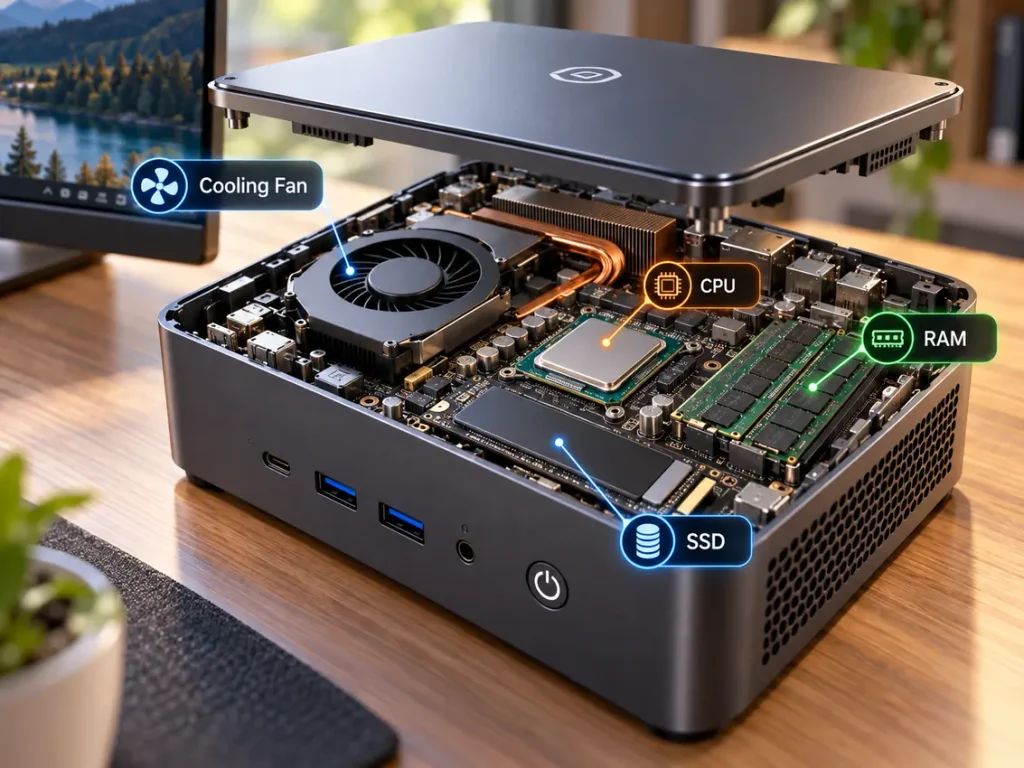
How Much Power Does 32GB of RAM Use?
There is no single correct figure, but a typical DDR4 or DDR5 small outline module consumes roughly 1 to 3 W in normal operation, and soldered low-power modules draw less than socketed ones.
Two factors determine what a 32 GB build adds. Module count is the first, since 32 GB can be one module or two 16 GB modules, and the second uses two active modules plus more memory controller work. Generation and speed is the second: DDR5 runs at a lower voltage but adds on-module power management, higher frequencies under sustained traffic raise consumption, and idle periods fall to a fraction of a watt. The increment from 16 GB to 32 GB is usually small, but it depends on arrangement, generation and speed, so capacity alone is not a valid basis for comparison.
Storage, Networking and Cooling Overhead
| Component | Idle | Active |
| NVMe solid-state drive | 0.5-2 W | 3-8 W |
| SATA solid-state drive | 0.3-0.5 W | 2-4 W |
| 2.5 inch hard disk | 0.5-1 W | 2-3 W |
| 3.5 inch hard disk | 4-6 W | 6-9 W |
| Wired Ethernet port | 0.5-1 W per active port | not applicable |
| Wireless radio enabled | 0.5-1 W | 1-2 W |
| Chassis fan | 0.5-2 W | 1-3 W |
A 3.5 inch spinning disk can draw more at idle than half the rest of a compact system combined, so a storage decision influences a continuously running system more than a memory decision does.
How Power Limits Change Real Consumption
Most compact systems expose firmware power limits, commonly a sustained limit and a short-duration boost limit. Raising the sustained limit increases peak throughput and wattage together, while lowering it caps wattage but stretches the time any task takes, and completing a fixed workload at lower wattage for longer can consume the same energy or slightly more. Power limits are best treated as noise and thermal controls.
Real Power Numbers by Workload
Power draw tracks processor utilisation, storage activity and network traffic rather than the number of applications installed. A system hosting a dozen services that mostly sit quiet draws close to its idle figure, while the same system running a sustained video transcode or a software encode can double or triple that draw. Container count is not a measurement of anything.
Movement between rows matters more than any single value.
| Workload | Typical wall draw | What drives it |
| Powered off, adapter connected | 0.5-2 W | Standby draw in the external supply |
| Asleep | 1-3 W | Memory refresh and wake capability |
| Idle, headless, display off | 5-10 W | Baseline platform consumption |
| Browsing, documents, email | 8-15 W | Short bursts of processor activity |
| Video playback with hardware decode | 10-18 W | Media engine active, processor nearly idle |
| Hardware video transcode | 12-25 W | Media engine under sustained load |
| Software transcode or all-core stress | 20-45 W | Processor approaching its sustained limit |
| Performance class under sustained load | 45-70 W and above | Thermal and power limits both binding |
To estimate a continuously running system, identify which row it spends most of its time in and weight the estimate toward that row. The discussion of mini PCs in 2025 and the technologies deployed against energy waste develops this point.
How to Reduce Mini PC Power Consumption
The largest savings come from choosing the right processor class and the right power policy before deployment, not from adjusting settings afterwards. Working from the biggest lever to the smallest, the eight changes below are the ones that reliably move the number.
- Match the processor class to the workload, the largest single lever at often 10 to 20 W, fixed at purchase rather than in software.
- Configure sleep and power policies properly, letting display and system sleep and shortening the idle timer where requirements allow.
- Remove unnecessary always-on background tasks, since idle consumption holds only while the processor stays idle.
- Apply power limits where they help, accepting that capping sustained power lowers peak draw and noise but lengthens task duration.
- Use hardware decode and encode, since software video processing can consume several times the power of the media engine.
- Choose storage by role: replacing a 3.5 inch mechanical disk removes more idle consumption than every other measure here combined.
- Disable peripherals you do not use, since each active port, idle radio or powered accessory adds between half a watt and one watt.
- Keep cooling clean and fans controlled, since dust and degraded thermal interface material raise fan speeds and worsen performance per watt.
Mini PC Power Consumption vs a Desktop PC
Under a comparable everyday workload, a compact system uses substantially less electricity than a traditional desktop, because it relies on a low-power mobile-class processor and integrated graphics instead of a high-wattage desktop processor and a discrete graphics card. The size of the difference depends on which two machines are compared: the gap is widest against a tower with a dedicated graphics card and narrowest against a modern small form factor desktop with integrated graphics.
Three structural differences produce that outcome. Mobile-class processors typically carry a base power of 15 to 45 W, versus 65 W and above for desktop parts, and graphics contributes most, since integrated graphics share the processor’s power budget while a discrete card can draw 200 W or more alone. A large internal supply also runs well below its efficiency sweet spot at low current.
For carbon accounting, state energy in kWh and convert it with a regional grid emissions factor rather than a single global number, since carbon intensity varies by region and hour. The United States Environmental Protection Agency publishes a calculator for converting kilowatt-hours into carbon dioxide equivalent, which makes the conversion auditable: 88 kWh a year is a small figure, against roughly seven times that on an older tower. The selection of balanced Mini PC options outlines where a mid-range system sits between the two extremes.
Frequently Asked Questions
The three questions below extend the arithmetic above, covering standby draw from a machine that is switched off but still connected, how compact systems compare with laptops, and what a household circuit can safely carry.
How much power does a mini PC draw when it is switched off?
A compact system typically draws about 0.5 to 2 W while switched off but still plugged in, because the external supply consumes a little power to stay ready, roughly 4 to 18 kWh a year. Unplugging the adapter or using a switched power strip removes it entirely, though some machines need standby power for network wake features.
Do mini PCs use less electricity than laptops?
Usually a comparable amount rather than dramatically less, since both rely on mobile-class processors and similar components, so idle and light-load figures overlap heavily. The difference appears at the upper end, since a compact system with desktop-grade cooling can draw more under sustained load than a thin laptop.
How many mini PCs can run on a single 15-amp household circuit?
There is no single correct number, because the answer depends on local voltage, each unit’s real input power and everything else sharing the circuit. The method is more useful than a figure.
- Establish the circuit capacity: a 120 V, 15 A branch circuit has a nominal capacity of 1,800 VA, being volts multiplied by amps.
- Apply the continuous-load limit, since wiring practice treats a load running three hours or more as continuous and limits it to 80 percent of the circuit rating, leaving roughly 1,440 VA usable.
- Account for every device on the circuit, using each unit’s measured wall draw and including monitors, switches, routers and chargers.
- Leave headroom for start-up, since adapters can draw a brief inrush current when units power on together.
In regions supplied at 230 V the same amperage carries roughly twice the power, so the ceiling is higher, but the continuous-load rule and the device accounting still apply.