Mini PCs have moved from office desks into gaming, video editing and local AI work, and the limitation that keeps resurfacing is graphics. A chassis built around a 65 to 120 watt adapter has no room for a full length card, no spare 12 volt rail and no airflow path sized for a 250 watt component. Buyers who chose a small machine for its footprint often find the integrated graphics running out of headroom long before the processor does.
Yes, you can add an external GPU to a mini PC, but only if the machine exposes a usable PCIe path to the outside world. That means a native OCuLink port, a USB4 port that supports PCIe tunneling, or an internal M.2 slot reachable through an adapter. Once that link exists, a desktop card sits in an external enclosure with its own power supply and cooling, and the mini PC borrows it. Without the link, no dock or cable will make an external card work.
The details that decide success are the interface, the card’s power budget, and how much performance the link gives up.
Can a Mini PC Use an External GPU?
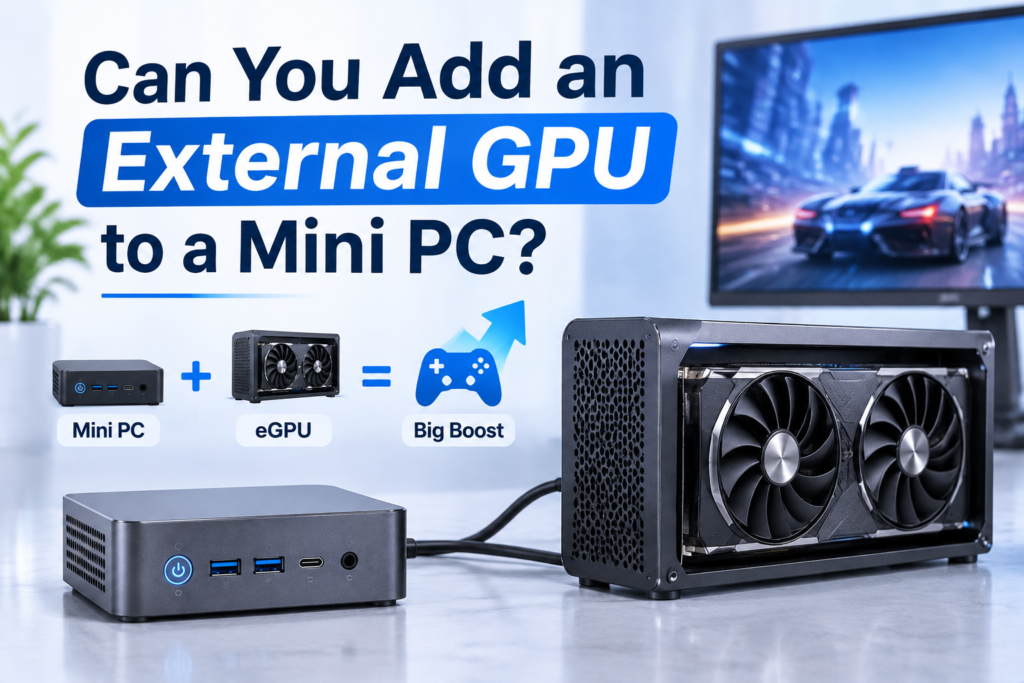
Yes. A mini PC can use an external GPU whenever it has a native high bandwidth external PCIe port or a spare internal M.2 slot. The enclosure removes both problems that block an internal install: the card no longer has to fit inside the chassis, and it no longer draws power from the mini PC’s adapter, because the enclosure carries its own 450 to 850 watt supply.
The card is mounted in a box containing a riser board, a power supply and a fan, and that box connects to the mini PC through a cable carrying PCIe lanes. The operating system sees a normal graphics card and routes rendering to it, while the mini PC keeps handling the CPU side.
The limits are equally clear. An eGPU does nothing for CPU bottlenecked workloads, it cannot add memory bandwidth to the integrated graphics, and it turns a one box setup into two boxes with a cable between them.
What an eGPU Enclosure Actually Contains
An enclosure is not a passive adapter. It is a small chassis with five functional parts:
- A PCIe riser board that converts the external connector back into a standard x16 slot.
- A power supply, either built in or a standard ATX or SFX unit the buyer installs.
- An intake and exhaust path with at least one fan, since desktop cards expect case airflow.
- A retention bracket and, on larger models, room for two slot cards up to 330 mm.
- Optional extras such as a second M.2 bay or a USB hub, which add cost without adding graphics performance.
Entry level enclosures without a supply start near 100 dollars and need a separate 50 to 90 dollar unit, while integrated models with an 800 watt supply land between 260 and 600 dollars. A card drawing more than 300 watts needs the corresponding connector count, not just the wattage.
Which Port Decides Whether It Works
The port is the most important specification, and the four options behave very differently.
| Interface | Electrical path | Usable GPU bandwidth | Hot plug | Practical notes |
| OCuLink | Direct PCIe 4.0 x4 | About 64 Gbps, roughly 6.5 GB/s | No | Lowest latency, no controller overhead, cable not rated for frequent reseating |
| USB4 version 2 | PCIe tunneled over 80 Gbps link | About 64 Gbps to the card | Yes | Convenient, adds controller overhead and occasional driver quirks |
| USB4 40 Gbps | PCIe tunneled, 3.0 x4 class | About 32 Gbps | Yes | Workable for mid range cards, noticeable loss on high end ones |
| M.2 slot with adapter | Direct PCIe 4.0 x4 | About 64 Gbps | No | Requires opening the chassis and giving up a storage slot |
A plain USB-C data port is not enough. It must carry PCIe, which means OCuLink, USB4 or a documented M.2 route. The USB Implementers Forum specification for USB4 explains how PCIe traffic is tunneled, and why an 80 Gbps link does not deliver 80 Gbps to the card. This is also why the Integrated GPU in a compact machine stays competitive for light workloads: no tunnel, no overhead, no second box.
Can You Install a Graphics Card Inside a Mini PC?
For the vast majority of mini PCs, no. There is no free x16 slot, no 12 volt rail with enough headroom, and no clearance for a card that is 40 mm thick and 300 mm long. The models that do contain a discrete card are engineered as complete units with a matched supply and a chassis built around that specific board, which means they are bought, not upgraded.
This is not a marketing restriction but a consequence of the form factor. A one litre chassis gives almost every cubic centimetre to cooling, and the motherboard is usually a custom shape with the processor soldered in place.
The Five Checks That Decide It
Before buying parts, run through these five points. If any one fails, the internal route is closed.
| Check | What to verify | Red flag |
| Chassis clearance | Internal height, card length limit, slot count | Under 60 mm internal height |
| Power supply | Adapter wattage and 12 volt output | External brick under 150 watts |
| PCIe slot | Presence of a free x16 or x8 slot | Only M.2 and Wi-Fi slots populated |
| BIOS support | Option to select a primary display adapter | Locked or minimal firmware menus |
| Thermal headroom | Sustained load temperatures before the upgrade | Already near 90 degrees under load |
Most mini PCs fail at least three of these. The ones that pass tend to be mini workstations in the three to five litre class, closer to small form factor desktops than to palm sized machines. Buyers planning ahead should check which specifications allow hardware upgrades before committing to a model.
Bandwidth is the other constraint. A desktop x16 slot at PCIe 4.0 delivers roughly 32 GB/s per direction, while an x4 link delivers about 8 GB/s, the ceiling every external solution works within. The PCI-SIG maintained PCIe specification is the authoritative source for those lane level figures.
Can You Upgrade the GPU in a Mini PC?
Usually not, and the reason is architectural. On most compact machines the graphics processor sits on the same package as the CPU, sharing the memory controller and the same pool of system memory, so there is nothing to remove. Models with a discrete card use custom boards rarely sold separately, and the few modular designs that exist are industrial or premium units with no retail card supply.
Graphics capability should therefore be decided at purchase: buy a machine whose integrated graphics cover the workload, one that already contains a discrete card, or one with the port needed for an external card later.
How to Add an eGPU to a Mini PC Step by Step
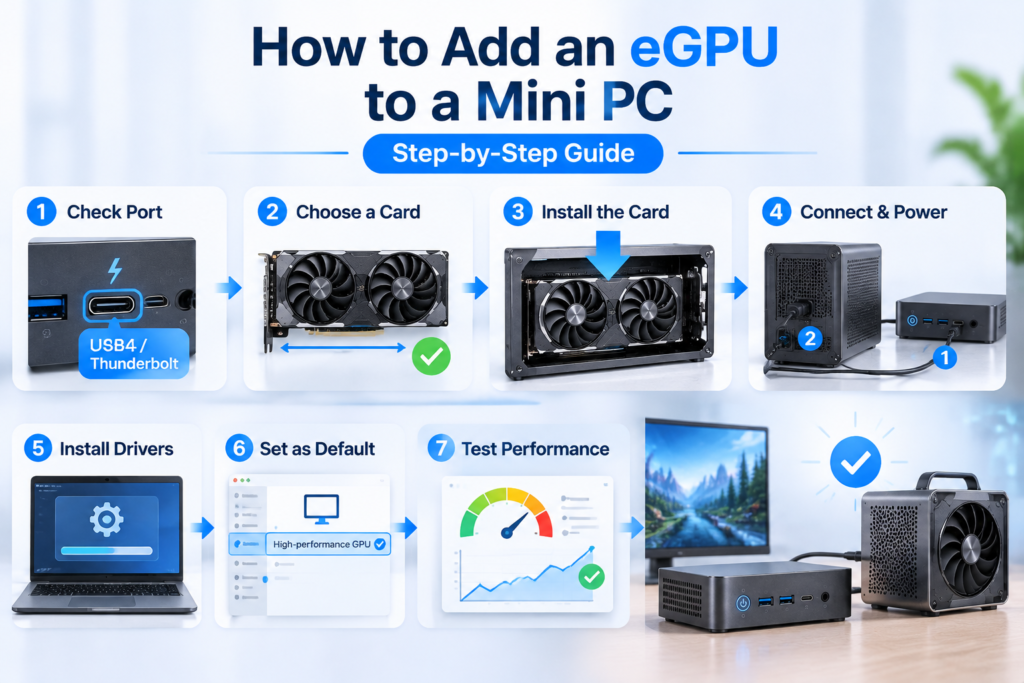
The process takes about thirty minutes and follows a fixed order: confirm the port, choose a card that matches the enclosure’s power and length limits, fit the card, connect with everything powered down, then install drivers before touching display settings. Skipping the power down step is the most common cause of a card that is never detected.
- Confirm the port type and rated bandwidth from the specification sheet, not the port shape.
- Choose the card, matching length to the enclosure, counting power connectors, and preferring PCIe 4.0 so the link is not capped at half speed.
- Seat the card fully, secure the bracket, and connect the power cables until the clips click.
- Power down, connect the data cable, then power the enclosure before the mini PC so the card is present at boot.
- Install the driver, reboot, and confirm the card appears with its full memory allocation.
- Set the external card as the preferred adapter for the applications that need it.
- Run a short benchmark and a ten minute load test, then check temperatures and clocks.
Settings That Are Easy to Miss
Three oversights cause most disappointing results: leaving the internal display as the render target, which sends every frame back across the same narrow link; a power profile that holds the card in a low power state during windowed applications; and outdated firmware on the enclosure’s adapter board, which can cap link speed at half of what the port supports.
Common Setup Failures and Fixes
| Symptom | Likely cause | Fix |
| Card not detected | Enclosure powered after boot, or cable not fully seated | Power order, reseat both ends |
| Works, then drops under load | Supply marginal for the card’s transient spikes | Higher wattage unit, separate rail per connector |
| Low frame rates but high GPU usage | Internal display loopback | Use an external monitor connected to the card |
| Black screen at boot | Primary adapter set to the external card with no monitor attached | Reset firmware, attach monitor to the card first |
| Fans at full speed, no output | Driver installed before the card was enumerated | Clean driver removal, reinstall in order |
How Much Performance Do You Lose?
Expect to lose roughly 3 to 8 percent with a direct PCIe 4.0 x4 link, 5 to 12 percent over a USB4 version 2 tunnel, and 15 to 25 percent over a 40 Gbps connection, measured against the same card in a desktop at 1440p. At 1080p the gap widens because the processor becomes the limit, and at 4K it narrows because the card is the limit.
| Link | Loss at 1080p | Loss at 1440p | Loss at 4K |
| OCuLink, PCIe 4.0 x4 | 8 to 15 percent | 3 to 8 percent | 1 to 4 percent |
| USB4 version 2 | 10 to 18 percent | 5 to 12 percent | 2 to 6 percent |
| USB4 40 Gbps | 20 to 30 percent | 15 to 25 percent | 8 to 15 percent |
| Internal M.2 adapter | 8 to 15 percent | 3 to 8 percent | 1 to 4 percent |
Those figures assume a modern card and a processor with adequate single core performance. A weaker processor shifts every number upward regardless of the link.
What Makes the Loss Worse
Four factors drive the penalty beyond the interface itself. Rendering to the internal display is the largest, because every frame crosses the link twice. A PCIe 3.0 card halves the effective link width on an x4 connection. Insufficient video memory forces texture streaming across the link, which hurts far more than frame data. And sustained load reveals throttling: a machine that already runs warm will hold lower clocks once an external card adds heat to the same room and circuit, which is why Mini PCs with GPUs need airflow planning rather than a bigger cooler alone.
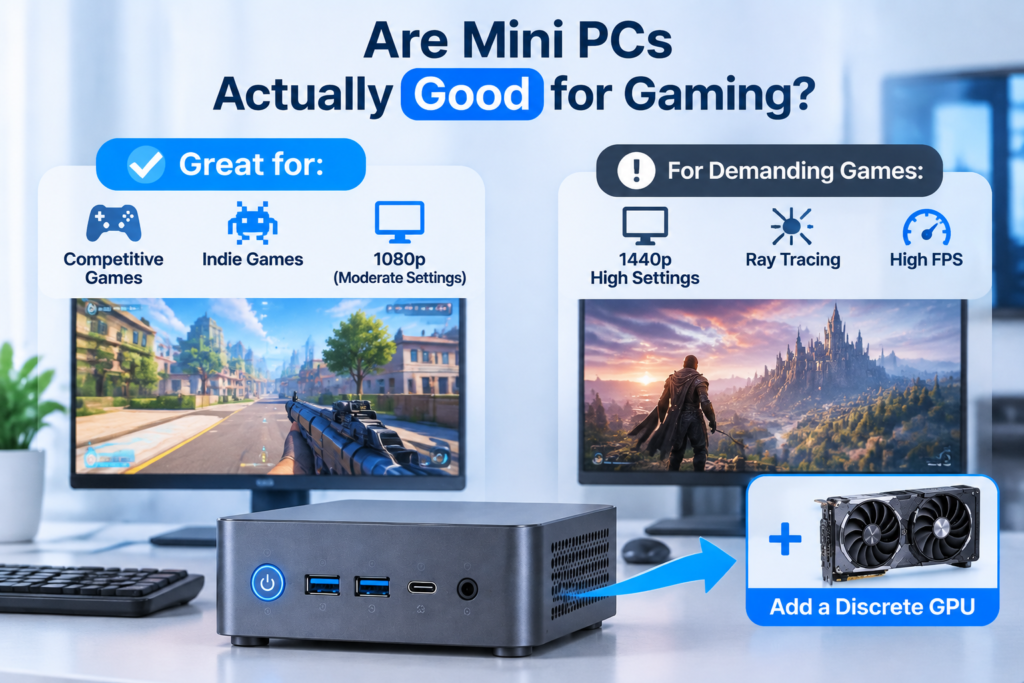
Are Mini PCs Actually Good for Gaming?
They are good within defined boundaries. Competitive titles, indie releases and most games at 1080p with moderate settings run well on current integrated graphics. Demanding titles at 1440p with high settings, ray tracing, or high refresh targets need a discrete card, either built in or attached externally.
Where Integrated Graphics Already Suffice
Modern integrated graphics with 8 to 12 compute units clear 60 frames per second in esports titles at 1080p, run indie and two dimensional games without compromise, and manage older titles at high settings. Media playback, emulation and light photo work are comfortable. For this segment a compact machine is the better buy: silent, low power, small enough to sit behind a monitor.
Where an eGPU Changes the Outcome
| Workload | eGPU needed | What to prioritize |
| Esports and indie games at 1080p | No | Fast memory, dual channel |
| AAA titles at 1440p high settings | Yes | OCuLink link, 12 GB or more video memory |
| 4K video editing and colour work | Yes, or a discrete card | Video memory, hardware encode support |
| 3D rendering and CAD viewports | Yes | Card compute throughput, 32 GB system memory |
| Local AI inference | Yes, above small models | Video memory capacity first, bandwidth second |
| Multi monitor office and signage | No | Display outputs, not graphics power |
For buyers who need both ends, the sensible starting point is a compact model with strong integrated graphics and a documented external port. That combination is what separates a Gaming Mini PC built for expansion from one that only looks capable on paper.
Cost and Practical Trade-offs
An eGPU setup usually costs more than the mini PC itself. A mid range card, enclosure and power supply together run 550 to 900 dollars, against 400 to 700 dollars for the machine. The value case rests on reuse: card and enclosure survive a host upgrade and can serve a laptop as well.
| Item | Typical range | Notes |
| Mini PC with external port | 400 to 700 dollars | Port availability is the deciding factor |
| Enclosure without power supply | 100 to 180 dollars | Add 50 to 90 dollars for a supply |
| Enclosure with integrated supply | 260 to 600 dollars | Simpler, less flexible |
| Mid range graphics card | 300 to 500 dollars | 12 GB class for 1440p |
| Cables and adapters | 20 to 60 dollars | OCuLink cables are shorter and less tolerant |
When an eGPU Is the Wrong Choice
Three alternatives win in specific cases. Cloud streaming suits buyers with fast, stable internet and no interest in local rendering, at the cost of latency and subscriptions. Memory and storage upgrades recover performance on machines throttling on 8 GB of single channel memory, a common and cheap fix. And a compact desktop in the eight to twelve litre class takes a standard card internally for less than an enclosure, if the mini PC has not been bought yet.
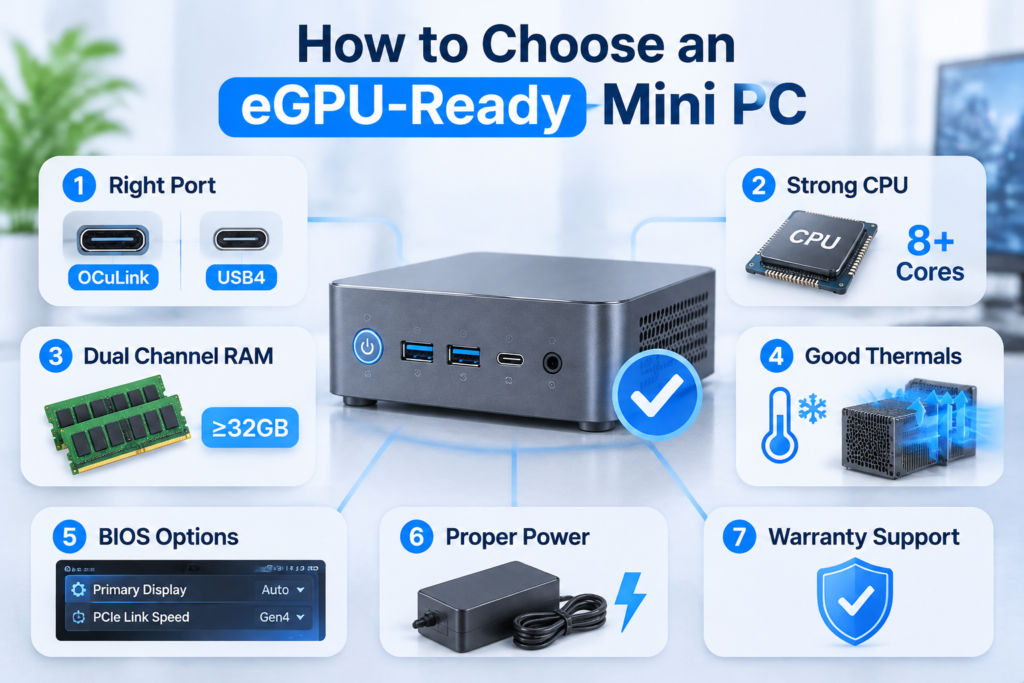
How to Choose an eGPU-Ready Mini PC
Choose on the port, not the processor. A machine with a native OCuLink port and an eight core processor will beat a faster machine limited to a 40 Gbps tunnel, because the link sets the ceiling for everything the card does.
- Confirm a native OCuLink port, or a USB4 port with PCIe tunneling documented in the specifications.
- Check processor core count and single core performance, since a weak processor caps frame rates before the card does.
- Verify memory runs in dual channel and is upgradeable to at least 32 GB.
- Look for sustained load thermals published by the vendor, not peak figures.
- Confirm the firmware exposes a primary display adapter setting and a PCIe link speed option.
- Check the adapter rating, because the machine still runs the processor at full load while the card handles graphics.
- Ask about the warranty position on external graphics use, since policy varies.
Buyers sourcing units for an office, studio or reseller fleet apply the same checklist at scale, and wholesale mini PC purchasing is mostly about port consistency across batches rather than peak specifications on one unit.
FAQ
Does an external GPU work with any mini PC that has a USB-C port?
No. A USB-C port only carries PCIe if the machine implements USB4 or an equivalent tunneling standard, and even then it must expose all four lanes. Many compact machines ship USB-C ports limited to data and display output, which will never enumerate a graphics card.
Do you need to shut down before connecting an OCuLink eGPU?
Yes. OCuLink carries raw PCIe lanes with no hot plug negotiation, so connecting it while running can leave the card undetected until a full power cycle, and repeated hot connects stress a connector not rated for it. USB4 tolerates hot plugging far better, at some cost in bandwidth.
Is an eGPU setup practical to move between locations?
Barely. An enclosure with a card and a supply weighs three to six kilograms, needs mains power, and uses a short, fragile cable. It works as a desk bound docking arrangement that can be unplugged occasionally, but it is not a portable graphics solution, and a laptop with built in discrete graphics remains the better travel answer.