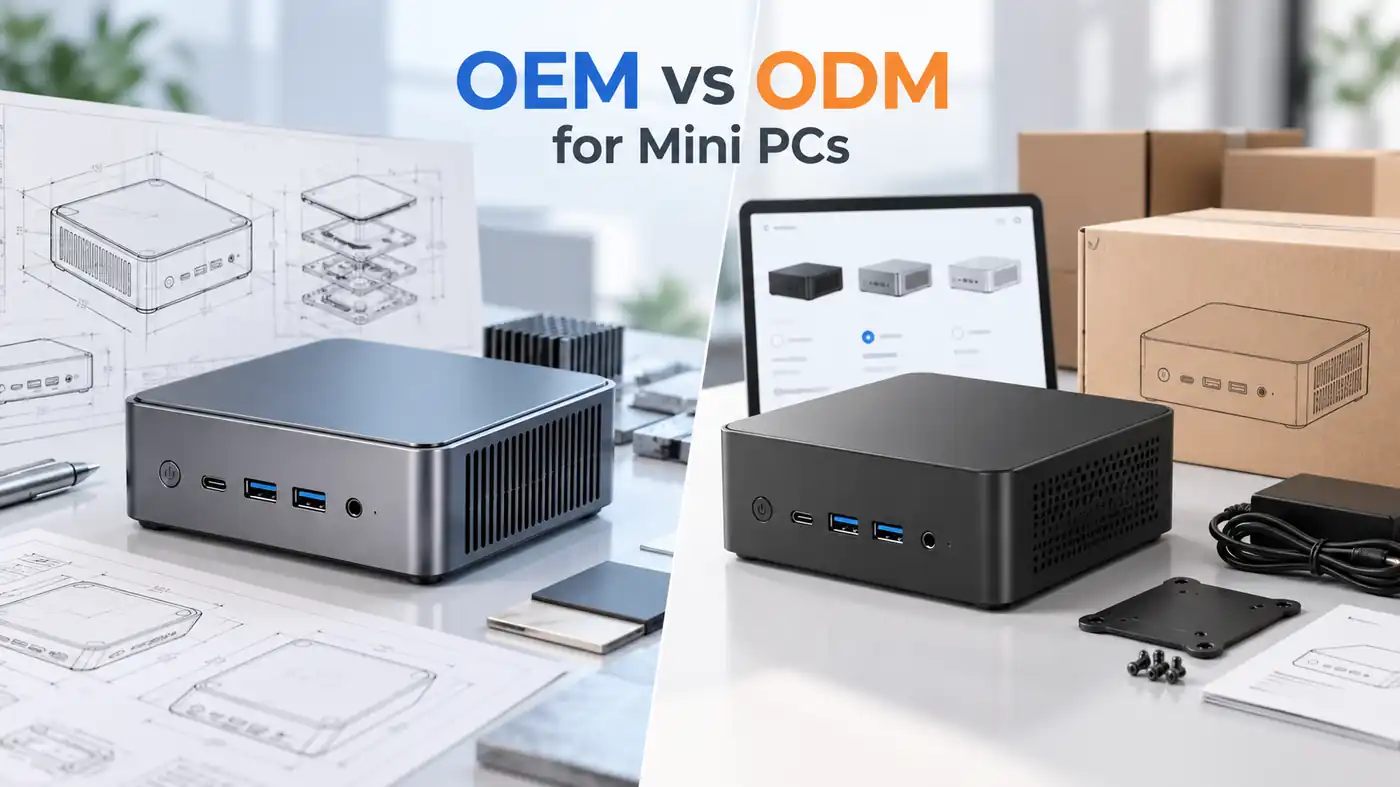
Two model numbers, twelve months apart, in the same storefront at a small price gap. Both sheets show eight cores, a 4.5 GHz boost and the same graphics name, while the parts that decide how a compact desktop feels, namely memory population, sustained power limit and cooling, sit in a footnote nobody reads.
The two part numbers share nearly identical processor and graphics specifications, so neither is faster in any way a buyer will feel in ordinary work. One platform detail differs, the native high-speed USB count the chip can expose, and it seldom decides a purchase. The decision belongs to the machine around the chip: memory fitted as two modules, a power limit the chassis can hold, ports that match the desk, firmware support and price.
What follows shows what actually differs, why the benchmarks disagree, and what to check before paying.
What Is Actually Different Between These Two Processors?
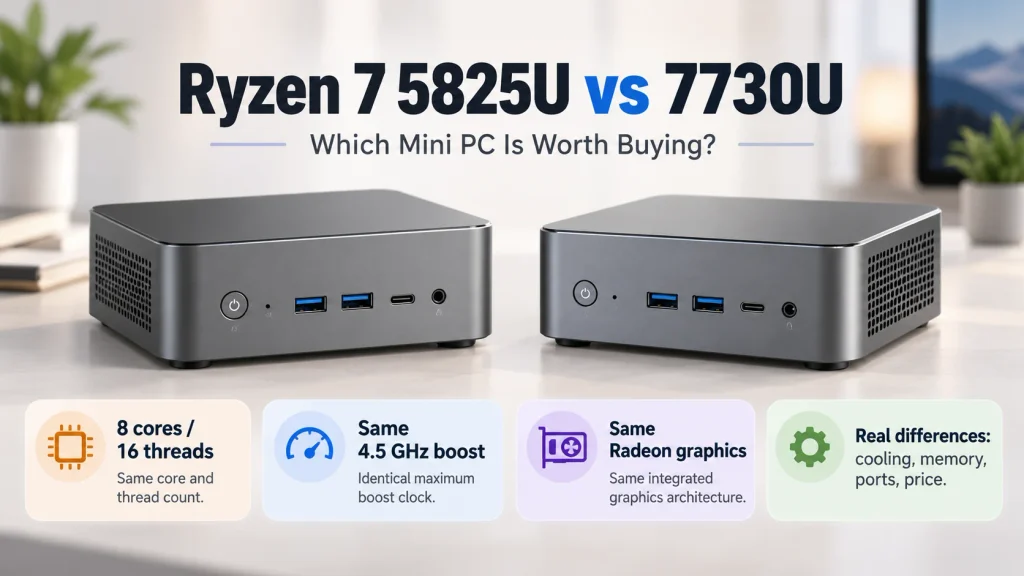
The Ryzen 7 5825U and 7730U share nearly identical CPU and integrated graphics specifications, although some platform connectivity specifications differ. Core count, clocks, cache, default thermal design power, graphics units and memory support all match. The published difference is four native USB 3.2 Gen 2 ports on the 5825U against two on the 7730U, which limits what the chip can expose, not what a given mini PC is built with.
The Same Eight Cores, One Year Apart
Both are Zen 3 designs on a 7 nm process, in the same FP6 package with one die, a 95 degrees Celsius limit and no unlocked multiplier. The 5825U launched in January 2022, the 7730U in the first quarter of 2023, and the manufacturer’s official processor specifications name the newer part’s former codename as Barcelo R, the earlier design reissued under a revised number.
| Specification | Ryzen 7 5825U | Ryzen 7 7730U | Difference |
| Cores and threads | 8 / 16 | 8 / 16 | None |
| Base and boost clock | 2.0 / 4.5 GHz | 2.0 / 4.5 GHz | None |
| L3 cache | 16 MB | 16 MB | None |
| Default thermal design power | 15 W | 15 W | None |
| Graphics | 8 units, 2000 MHz | 8 units, 2000 MHz | None |
| Memory | DDR4-3200 dual channel, 64 GB | DDR4-3200 dual channel, 64 GB | None |
| Native PCIe 3.0 lanes | 20 total, 16 usable | 20 total, 16 usable | None |
| Native USB 3.2 Gen 2 ports | 4 | 2 | Two fewer |
| Launch quarter | Q1 2022 | Q1 2023 | One year |
The 5800U from 2021 shares the design with a 1.9 GHz base and 4.4 GHz boost, which is why it lands within a few percent of both. The Ren5000 Mini PCs built on the earlier part quote the same eight cores and the same 15 W default.
A Ryzen 7 5825U Mini PC and its newer sibling therefore differ in ports, firmware and cooling, not in compute.
Where the Part Numbers Do Diverge
Once the silicon is set aside, the differences that reach a buyer belong to the machine. The 15 W figure is a default thermal design power, a rating the platform is designed around rather than a ceiling the chip enforces; the builder sets the sustained power limit the cooling can hold, so a chassis with a larger heatsink holds boost through a two-minute load while a thinner one drops back after thirty seconds. Port and display layout decides what the desk can connect, and the native USB count has no bearing on it.
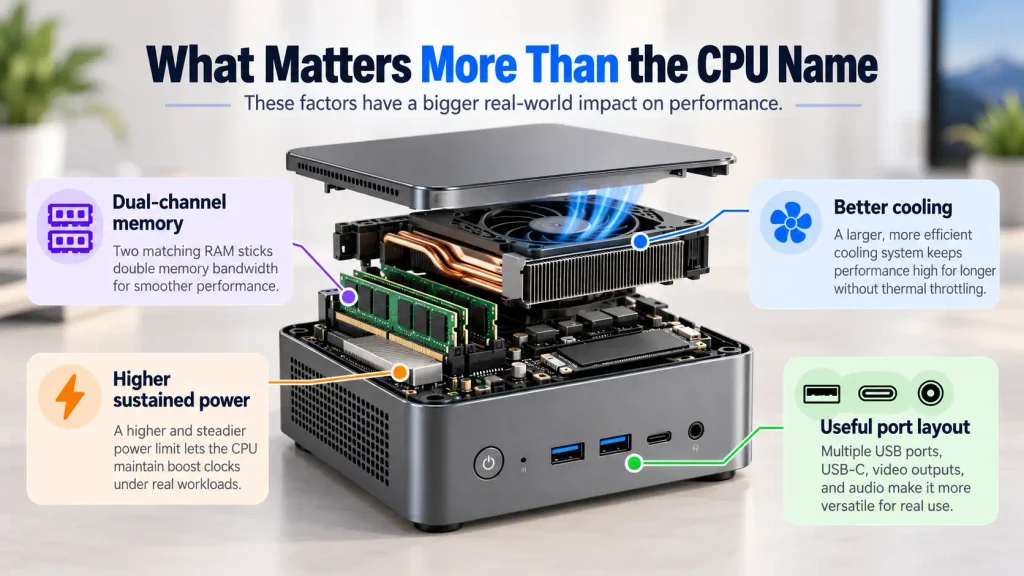
Comparing chassis side by side is more useful than comparing chips, and the Ren7000 Mini PCs differ from their older siblings in the places a specification table cannot show: heatsink volume, fan behaviour, port layout and firmware support length.
Which One Is Faster in Benchmarks?
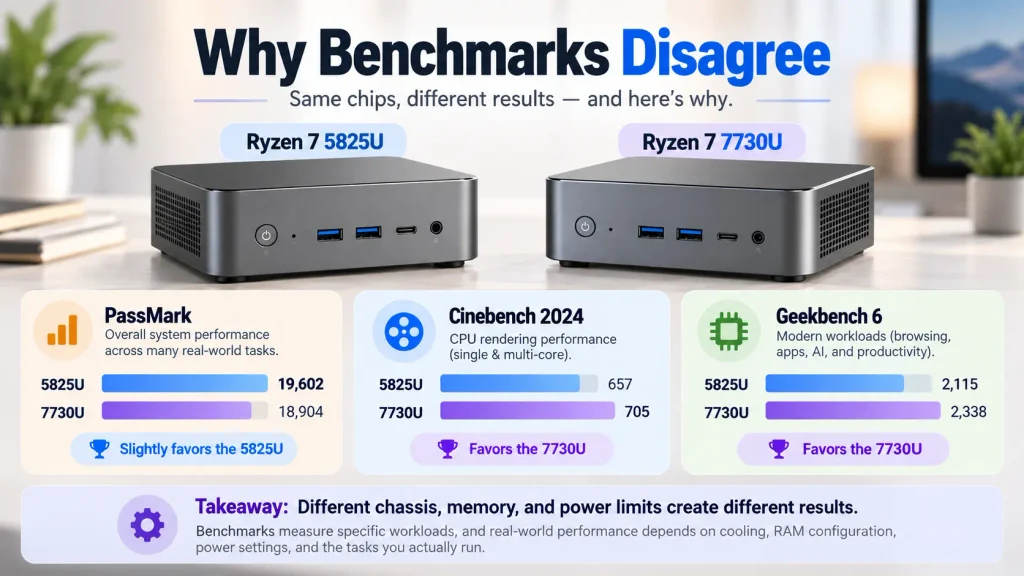
Neither wins by a margin a buyer would notice. Aggregated results put the 5825U about five percent ahead, while two widely quoted single-suite tests put the 7730U fourteen and twenty percent ahead. These figures come from different benchmark datasets and system configurations, so they should not be treated as controlled, same-hardware comparisons.
The Aggregate Databases Point One Way
A public aggregate such as the PassMark CPU benchmark database averages thousands of submissions per part; figures here were retrieved in October 2026. The 5825U records 17,777 CPU marks with a 2,988 single-thread rating, the 7730U 16,859 and 2,906. Both gaps sit inside the spread identical silicon produces across different chassis, and the lower-clocked 5800U tops the same chart at 17,939, a sign that the ranking reflects the machines sampled rather than the model name.
Single-Suite Tests Point the Other Way
Cinebench 2024 scores them level in single-threaded work at 82 and 83, then separates them by fourteen percent in multi-threaded rendering, at 529 and 601. Geekbench 6, whose published side-by-side comparison draws on about eleven hundred submissions per part, gives the newer chip four percent in single-core and twenty percent in multi-core. Both sets were retrieved in October 2026 and average machines the testers did not standardise.
| Test | Ryzen 7 5825U | Ryzen 7 7730U | Gap |
| PassMark CPU mark | 17,777 | 16,859 | 5825U ahead 5 percent |
| Cinebench 2024 single | 82 | 83 | Level |
| Cinebench 2024 multi | 529 | 601 | 7730U ahead 14 percent |
| Geekbench 6 single | 1,943 | 2,027 | 7730U ahead 4 percent |
| Geekbench 6 multi | 7,055 | 8,485 | 7730U ahead 20 percent |
Why a 15 W Chip Produces Both Results
The default rating is identical, so the divergence comes from everything wrapped around it. Sustained power limit and heatsink volume decide how long boost holds, and a two-minute render punishes a thin chassis that a thirty-second burst does not. One memory module halves the bandwidth reaching eight graphics units, and a part shipped mostly in thin laptops looks slower than the same silicon in a desktop chassis. The two tables describe machines, and the machines differ.
Can the Ryzen 7 7730U Really Be 35% Faster Than the 5825U?
No, and the figure should not be repeated as fact. It appears in retail write-ups about a discounted machine with no test conditions attached, and no published same-hardware test supports it. Two parts with the same cores, clocks, cache and graphics units cannot separate by a third on processor work; a gap that size belongs to a different generation.
What the Claim Would Require
For thirty-five percent more throughput, something would have to change: more cores, a higher sustained clock under a long load, more cache, a new architecture or a raised power limit. The published sheets show none of those, and the one real difference, in native USB ports, points the wrong way. A reviewer demonstrating the gap would also have to hold memory population, power mode, chassis cooling and driver release constant, then publish those conditions. The write-up publishes none of them, which makes the percentage unfalsifiable. The same objection applies to the thirty-eight percent graphics claim, since eight units at 2000 MHz appear on both sheets.
How to Audit a Performance Claim in a Listing
Any percentage attached to a processor can be checked in three steps.
- Identify the baseline part and its architecture. A comparison against a chip two generations older says nothing about the part beside it in the same listing.
- Check memory configuration and power mode. Single-channel memory or a locked limit can move results by more than the claimed gain.
- Establish whether the figure is one suite or an average. A single accelerated workload can sit twenty percent apart while the average stays under one.
A number that survives all three is worth acting on; one that arrives without them describes a shopping page, not a processor.
Is the 7730U a Real Upgrade Over the 5700U?
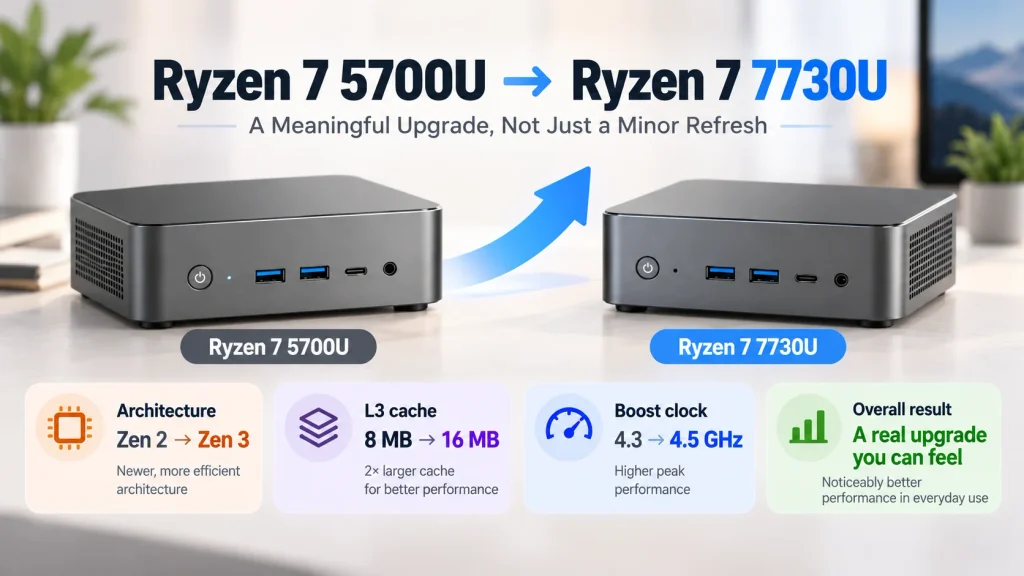
Yes, and this is the comparison worth making. The 7730U moves from Zen 2 to Zen 3, doubles shared L3 to 16 MB, raises boost to 4.5 GHz and lifts graphics clock to 2000 MHz. Independent tests put the multi-threaded advantage between a quarter and a third, which is a difference a user can feel.
Where the Gain Shows Up in Daily Work
The cache doubling matters most where data is revisited, which covers compilation, spreadsheet recalculation and tab switching, while the clock increase helps short bursts. Owners moving up from a Ryzen 7 5700U Mini PC notice it in exactly those habits. Rendering and batch export track the multi-core scores, so a twenty-four to twenty-nine percent gain becomes a similar cut in waiting time.
| Feature | Ryzen 7 7730U | Ryzen 7 5700U | Effect |
| Architecture | Zen 3 | Zen 2 | Large |
| L3 cache | 16 MB | 8 MB | Large |
| Boost clock | 4.5 GHz | 4.3 GHz | Small |
| Graphics clock | 2000 MHz | 1900 MHz | Small |
| Cinebench 2024 multi | 601 | 486 | 24 percent |
| Geekbench 6 single | 2,027 | 1,605 | 26 percent |
| Geekbench 6 multi | 8,485 | 6,562 | 29 percent |
Gaming improves far less, because the graphics unit count stays at eight, so a game at 40 frames per second will not reach 60.
Is the 7730U Good Enough for Gaming?
For competitive titles and older games at 1080p with reduced settings, yes. For current large-budget releases at high settings, no. The ceiling is set by eight graphics compute units drawing on system memory, so the practical target is 1080p at low to medium in lighter titles and 720p with upscaling elsewhere.
What the Integrated Graphics Can Realistically Run
Frame rates for integrated graphics depend on chassis power limit, memory population, driver release and game patch, so any single figure is a range rather than a promise.
- Competitive shooters and simple multiplayer titles run at 1080p on low to medium settings and reach high frame rates.
- Older large-budget releases and remasters run at 1080p low or 720p medium, playable but not comfortable.
- Current large-budget releases need 720p with an upscaler and tolerance for stutter in dense scenes.
- Emulation, strategy games, two-dimensional titles and indie releases are comfortable at 1080p.
The Two Settings That Matter More Than the Model Number
The first is memory population. Two 8 GB modules give the graphics core double the bandwidth of a single 16 GB module, a larger effect on this hardware than the gap between the processors. The second is the sustained power limit and the cooling behind it, because a machine that holds its limit quietly outperforms a thinner one that throttles after half a minute. Buyers who need more are not choosing between these parts at all.
5800X, 5800U, 5825U, 7730U: Reading the Suffix Correctly
The suffix and the power class decide comparability, not the model number. A 5800X is a 105 W desktop processor with no integrated graphics, while the other three are 15 W mobile parts with graphics built in, so a 5800X cannot be substituted into a mini PC decision at all.
A 5800X needs a socketed desktop board, a discrete graphics card, a separate cooler and a supply sized for a 105 W part, so platform cost and physical volume both sit outside what a compact chassis offers. Its eight cores run at a 3.8 GHz base with 32 MB of L3 and no meaningful power constraint, which puts sustained output in a different order of magnitude.
For someone who already owns that platform, the answer to whether it still holds up in 2026 is yes: eight cores with 32 MB of cache remain adequate for 1080p and 1440p gaming with a mid-range card, for development work and general productivity. The costs are structural, because the socket has reached the end of its upgrade path, memory is DDR4, a graphics card is mandatory and idle draw is several times that of a compact desktop.
How to Decide at the Point of Purchase
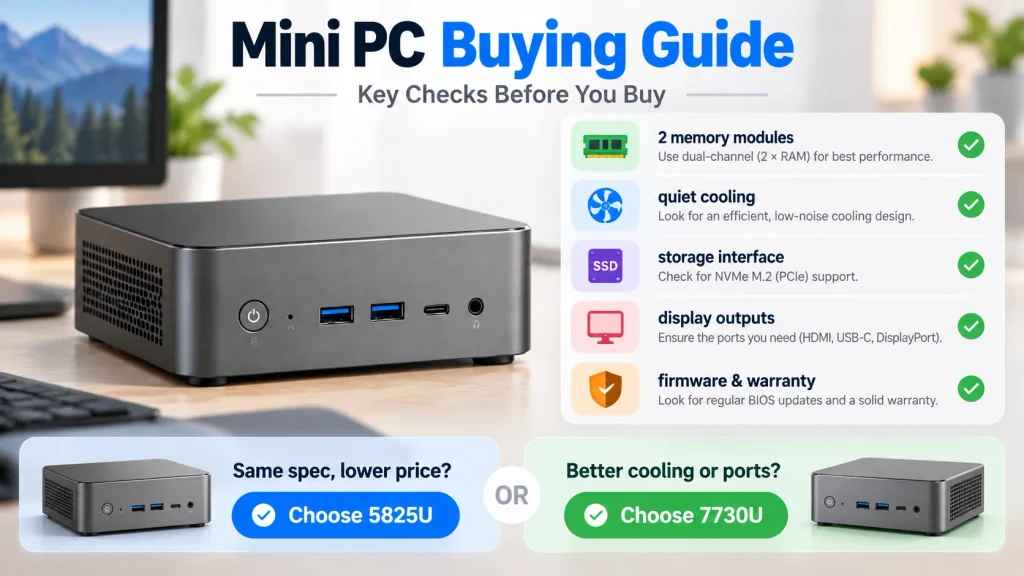
Take the lower price for an identical configuration, then spend the difference on the parts that do move performance: two memory modules instead of one, a chassis that holds its sustained limit quietly, and a firmware support window you can verify before ordering. Match the machine to the workload first and treat the processor as the last tiebreaker.
A Short Checklist Before You Order
| What to confirm | Why it changes the result | How to check |
| Memory is two modules | One module halves graphics bandwidth | Ask for the module count, not just capacity |
| Sustained power limit | How long boost holds under load | Look for a stated limit and a load temperature |
| Storage interface | PCIe 3.0 caps reads near 3.5 GB per second | Confirm the slot generation before buying a drive |
| Display outputs | Whether three screens work without adapters | Count HDMI and USB-C DisplayPort outputs |
| Firmware and warranty | Update window for a five-year fleet | Ask for the published support period in writing |
Both accept the same dual-channel DDR4-3200 memory up to 64 GB and the same PCIe 3.0 storage, so the checklist applies to either one. At the time of writing the two listings compared here are quoted at roughly 238 to 469 dollars for the earlier part and 269 to 500 dollars for the newer one, before configuration is matched; the spread inside each range separates a bare unit from a fully populated one, so compare like with like.
Matching the Machine to the Situation
| Buying situation | Recommendation |
| Same configuration, the 5825U costs less | Take the 5825U |
| Same price, but the 7730U chassis cools better or has the ports you need | Take the 7730U |
| Configuration and price both match | Compare warranty, firmware support and supplier terms |
| Recent large-budget games are the main workload | Look at a machine with a discrete graphics option |
| Buying for a team or an office floor | Judge stability, ports and after-sales terms first |
For identical memory and storage the 5825U machine is the better buy, because the processor work a user notices is the same and the saving goes into the second memory module. The Ryzen 7 7730U Mini PC line starts higher, and that premium buys a later firmware window, a revised chassis and whatever port layout the newer board carries. Pay it when those three matter to the workload, not for an expected speed difference.
Frequently Asked Questions
Each question below is answered from the published specification set rather than from benchmark results, because that is where the answer actually lives.
Does the 7730U Run Cooler Than the 5825U?
Not by design. Both carry the same default rating and a 95 degrees Celsius maximum, so temperature at a given workload is decided by the heatsink, the fan curve and the sustained limit the manufacturer selected. A well-cooled 5825U will run cooler and quieter than a cramped 7730U.
Can the Processor Be Upgraded Later?
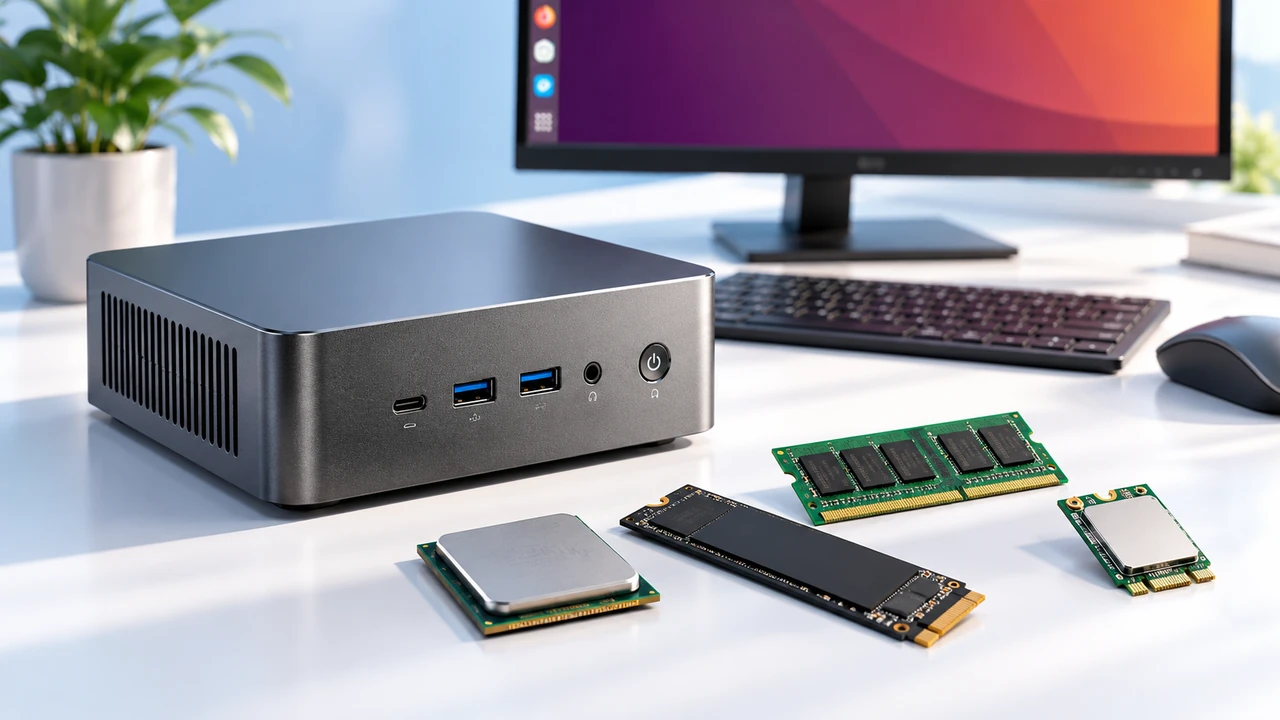
No. The part is soldered to the board in an FP6 package, so the processor is fixed for the life of the machine. Memory and storage are the upgradeable items, so module count and a free M.2 slot deserve attention before ordering.
Do Both Part Numbers Support the Same Operating Systems?
Yes for the mainstream options. The published support list covers 64-bit versions of the current and previous Windows releases plus several Linux distributions, and both parts sit on the same platform, so driver packages differ in name rather than in capability.