
Looking at modern desk setups today, there is a definite trend moving away from massive, heavy desktop towers. Huge cases with a dozen glowing fans are definitely still around, but lots of folks are leaning toward something a little more subtle. It is genuinely fascinating how much computing power fits into a box the size of a toaster these days. Deciding how to build a mini PC from scratch is basically like tackling a high-stakes 3D puzzle. It takes a bit of patience, maybe some trial and error, but having a custom mini PC sitting quietly on the desk is just incredibly satisfying.
Picking the Right Parts for a Mini PC Build
The component selection phase is arguably where a lot of the magic happens (and where most of the headaches start). Unlike standard mid-tower computers where almost any part will randomly fit, putting together small form factor machines requires some careful planning. Measurements suddenly matter a whole lot.
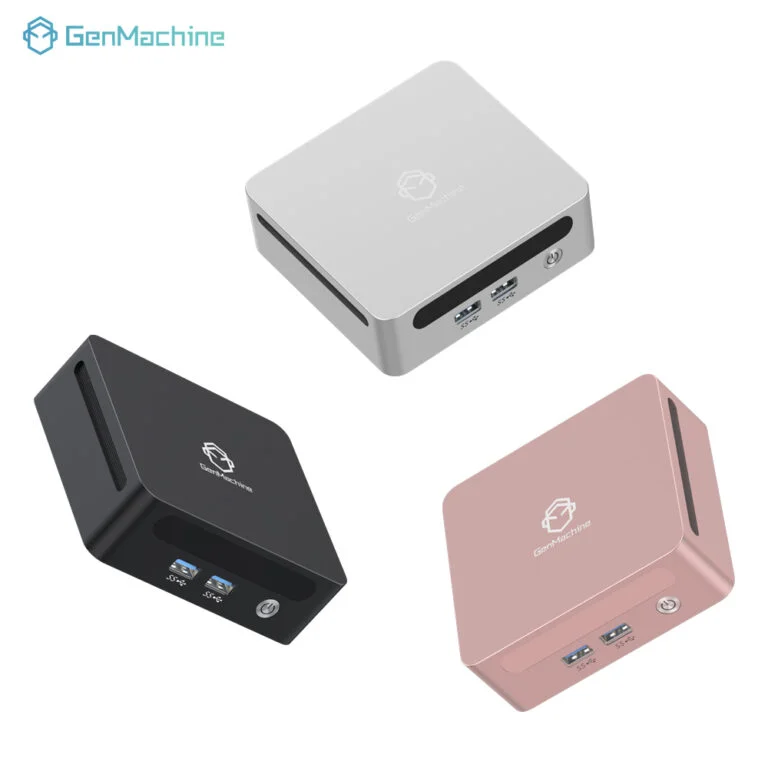
The Motherboard and Case Conundrum
Everything revolves around the motherboard. The mini-ITX size is the standard go-to for compact computer enthusiasts. These boards are tiny squares, usually just under seven inches wide, but they pack almost all the exact same features as the giant ones. Finding a case that looks good and actually holds the ITX board is the next big step. Some cases are shaped like game consoles, while others look like minimalist metal cubes. It really just comes down to aesthetic preference and what actually fits on the living room shelf.
Cooling and Power Components
Power supplies come in smaller sizes too, usually called SFX. They are essentially just shrunken-down versions of normal power boxes ideal for the intelligence mini pc. The real trick, however, is cooling the processor. Cramming powerful chips into the tight internal space of an intelligence mini pc traps heat, which is pretty much basic physics. A specialized low-profile CPU cooler is usually necessary to keep your intelligence mini pc running stable and prevent components from melting down.
A Step-by-Step: Assembling the Mini PC
When the boxes of parts finally arrive, clearing off a large table and grabbing a magnetic screwdriver is the best way to start. The assembly sequence is actually a bit different than building a regular sized desktop because internal space is at such a premium.
First, install the processor, memory sticks, and the storage drive onto the motherboard while it is still resting outside the case. Trying to plug tiny components in once the board is mounted inside a cramped chassis is essentially impossible.
Second, attach that low-profile cooler to the processor (remembering to peel the little plastic sticker off the cooler’s bottom first is essential, which is a classic rookie mistake).
Next, gently secure the fully loaded motherboard into the small metal case.
Finally, slide the power supply in and begin routing the necessary cables. Routing stiff cables in a tiny box requires quite a bit of awkward bending and tucking.

Balancing Cost and Performance in a Mini PC
There is a fairly common misconception that smaller automatically means cheaper. That isn’t exactly true. Miniaturized parts sometimes carry a bit of a price premium simply because they are highly specialized. The final cost of a mini PC really depends on what the machine is actually going to be doing all day.
| Build Category | Typical Usage | Average Budget | Key Characteristic |
|---|---|---|---|
The Basics | Browsing, email, watching movies | Quite low | Uses integrated graphics |
The Workhorse | Photo editing, heavy multitasking | Moderate | Extra RAM, fast storage |
The Tiny Gamer | Modern AAA gaming, video rendering | Very high | Needs a specialized graphics card |
Common Pitfalls When Putting a Mini PC Together
Even highly seasoned tech builders sometimes run into frustrating walls when working with small form factor parts. It is just the nature of the beast. Being aware of these little traps usually saves a lot of wasted time and prevents the hassle of returning incompatible items.
Buying a graphics card that is half an inch too long for the chosen case (always double-check the exact millimeter clearances before ordering).
Forgetting to plug in the CPU power cable before screwing down the motherboard, leaving absolutely no room for human fingers to reach the plug later on.
Ignoring cable management entirely. Letting a thick bundle of wires sit right on top of a cooling fan blocks airflow completely, causing the whole system to choke and overheat under heavy loads.
FAQ
Are these mini pcs good for gaming?
Absolutely, yes. As long as the case has enough physical room to fit a dedicated graphics card, a mini PC can easily run modern games at high graphical settings. It just takes a bit more effort to keep the internal temperatures under control compared to a giant, breezy tower case.
Is it cheaper to build or buy pre-built?
This fluctuates constantly based on current part prices. Generally speaking, buying the individual parts and assembling them at home saves a little bit of money and offers way better quality control. However, there are some ultra-compact factory pre-built units that are practically impossible to replicate at home for the exact same price.
Do mini pc overheat easily?
They definitely run warmer than standard desktops. That is just an unavoidable side effect of putting hot components into a tiny, confined space. But as long as there is a clear path for fresh air to enter the case and hot air to easily exhaust, they will operate perfectly safely within normal, expected temperature ranges.



