
Smart TVs are genuinely great when they are brand new out of the box, but it is pretty widely observed that they get sluggish after a couple of years. It is just the way it goes. The built-in interface starts to lag, apps unexpectedly crash in the middle of a movie, and typing out a simple search query with a standard remote control is a notoriously frustrating experience. This is exactly where hooking up a real PC changes the whole living room dynamic.
Finding the right mini computer for TV setups isn’t always straightforward, though, especially with all the confusing tech jargon floating around online. A tiny box sitting quietly under the screen can basically turn an ordinary living room into a fully unrestricted entertainment hub (or even a giant monitor for web browsing and retro gaming).
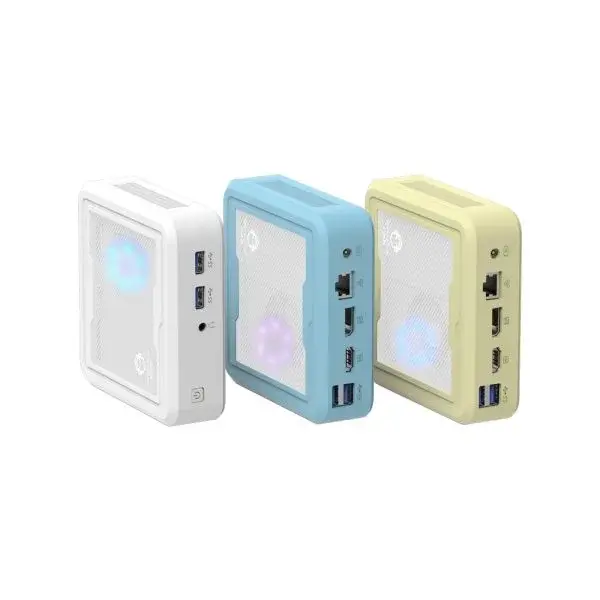
Why Even Bother with a Mini Computer for TV?
Some folks might wonder why anyone would buy a PC instead of just picking up a cheap streaming stick. Sure, those little dongles are inexpensive and easy to hide, but they are incredibly limited in what they can actually do. A dedicated mini computer for TV brings total freedom to the living room experience. It is just a completely different tier of entertainment.
People usually notice a few immediate benefits right away:
Full desktop web browsers without those weird, clunky mobile restrictions.
The absolute freedom to play local media files of any weird format without downloading sketchy conversion apps.
Access to actual PC games and emulators, not just watered-down mobile ports.
System-wide ad-blocking extensions that actually work properly on a desktop browser.
Core Hardware of a Mini Computer for TV Explained
When looking at the electronics shelves (or endlessly scrolling online listings), the sheer number of specifications can feel extremely overwhelming. Let’s break down what actually matters when picking out a mini computer for TV, without getting bogged down in useless, overly technical metrics.
Processors and Memory (The Brains)
The processor is essentially the engine of the machine. For basic 4K YouTube and standard Netflix streaming, an entry-level Intel chip or a lower-tier AMD Ryzen processor is usually totally fine. It simply doesn’t take massive computing power to decode a video stream nowadays. But memory is a different story altogether. Memory is crucial. Eight gigabytes of RAM is generally considered the absolute minimum, though jumping to 16GB makes everything feel so much snappier. This is especially true when keeping ten or fifteen browser tabs open while a movie is paused in the background (which is a very common household habit).
Storage Space
Most modern intelligence mini computer for TV units come with solid-state drives. These drives are really, really fast, highly durable, and completely silent. If your Intelligence mini pc is only planned to stream stuff from the internet, a 256GB drive is more than plenty. However, for those who use their Intelligence mini pc to download massive 4K movie files or store hundreds of home videos locally, stepping up to a 1TB drive or buying a separate external hard drive is practically mandatory to avoid constantly deleting things to make room.
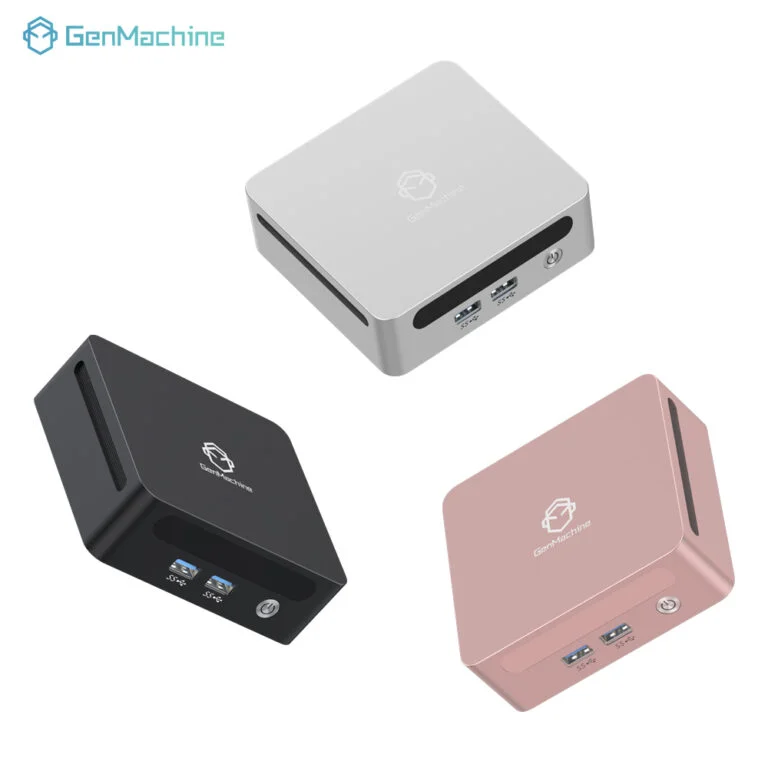
Ports and Wireless Connections
A capable device really needs the right physical connections to be truly useful in a living room environment.
An HDMI 2.0 or 2.1 port is absolutely essential for pushing 4K resolution at a smooth 60 frames per second.
A couple of easily accessible USB-A and USB-C ports are needed for plugging in wireless receivers for keyboards, mice, or game controllers.
A solid Ethernet port is always good to have, just in case the home Wi-Fi network decides to act up during a live sports event.
Speaking of Wi-Fi, getting a box equipped with modern Wi-Fi 6 is highly recommended because buffering right in the middle of a tense action scene is incredibly frustrating.
Comparing Common Setup Tiers
To make things a bit easier to digest, it helps to categorize these devices into three simple levels. Depending on the budget and the actual planned usage, different setups make a lot more sense than others.
| Device Tier | Best Used For | Recommended RAM | Expected Price Range |
|---|---|---|---|
Basic Entry-Level | Web browsing, 1080p/4K streaming, basic office work | 8GB | Very affordable |
Mid-Range Sweet Spot | Heavy multitasking, home theater media servers, light gaming | 16GB | Moderate |
High-End Powerhouse | Video editing, modern gaming, complex emulation | 16GB to 32GB | Quite expensive |
The Silent Factor and Form Factor
Here is something people almost always forget to check before buying: the fan noise. A really powerful machine is great on paper, but if it sounds like a tiny jet engine during a quiet, dramatic movie scene, it ruins the vibe entirely. Nobody wants a whining fan distracting them from the dialogue. Fanless designs are out there on the market (and they are completely silent), but they can sometimes run a bit hot to the touch. Usually, devices with a highly efficient, low-wattage chip and a decently sized internal fan offer the best overall balance. The fan just hums quietly in the background, easily drowned out by the TV’s normal audio volume.
Additionally, size matters. Many of these little boxes come with a VESA mount bracket included in the package. This is a brilliant little feature because it allows the computer to be bolted directly to the back of the television screen, completely hiding it from view and keeping the TV stand clean and free of unnecessary wire clutter.
FAQ
Can any standard TV be used as a monitor?
Yes, basically any television can be used as long as the screen has an available HDMI input. Even a slightly older flat screen will work perfectly fine, though it is worth remembering that the final picture quality obviously depends on the television screen itself rather than the hardware pushing the pixels.
How is a mini computer for TV controlled from the couch?
Nobody really wants a bulky, heavy wired keyboard resting on their lap while trying to relax. The best and most popular solution is grabbing a compact wireless keyboard that has a built-in trackpad. They are small, relatively cheap, and connect instantly via a tiny USB receiver. Alternatively, a Bluetooth remote with air-mouse features works quite well for simple point-and-click tasks.
Is a computer operating system usually included?
Most of the time, yes. A standard retail unit usually ships with an operating system already pre-installed and ready to go. There are some barebones kits floating around out there (where things like RAM and storage must be purchased separately and added manually), but standard consumer models are generally plug-and-play straight out of the box, making the setup process remarkably painless.




