
Small business owners often underestimate just how quickly their data grows. Invoices, client files, design drafts, shared folders, a few years of tax records… it adds up. And somewhere around the point where monthly cloud bills start feeling absurd (or the old desktop in the corner refuses to boot one morning), the idea of proper on-site storage starts looking pretty attractive. That’s usually where a Mini PC NAS comes into the picture.

Why a Mini PC NAS Makes Sense for Small Business
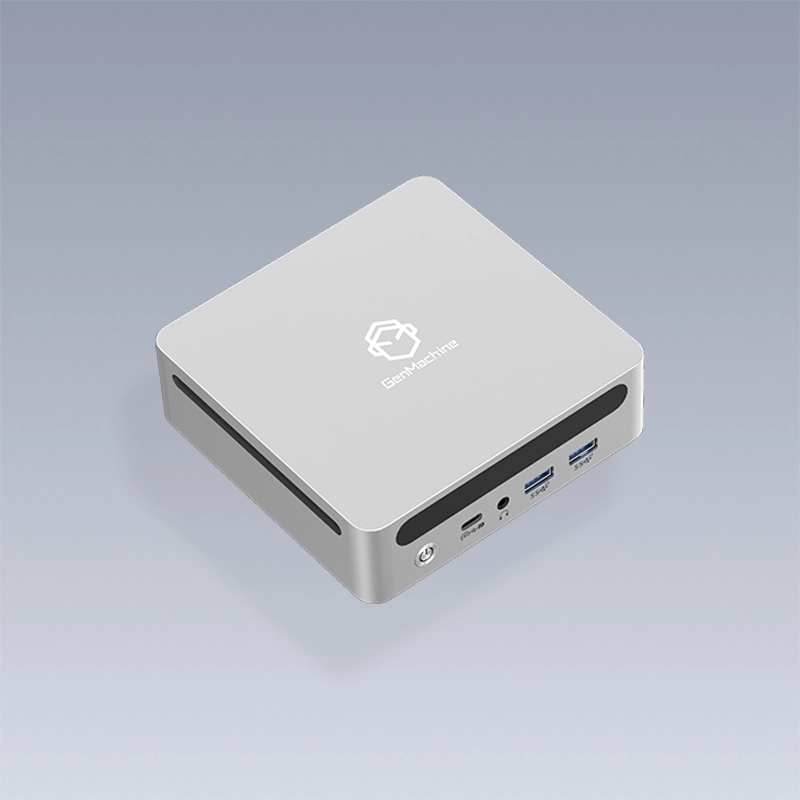
A Mini PC NAS is, roughly speaking, a compact computer built around network storage. It sits quietly on a shelf, holds the team’s files, runs a few light services, and (unlike a full server tower) doesn’t demand a dedicated room or loud cooling. For a team of five to fifty people, that’s often more than enough.
The appeal tends to come down to three things:
Lower upfront cost than an enterprise server
Better performance than consumer cloud storage for local work
Enough horsepower to run backups, a VPN, or a small database alongside file sharing
Some owners also like the control. Data stays on-site, access rules are their own, and subscription fees don’t keep creeping up each quarter.
Key Specs to Check Before Buying a Mini PC NAS
Not every Mini PC NAS is built for the same workload. A unit meant for home media will choke when twenty people hammer it with Excel files and Photoshop projects. Picking the right spec level really matters.
CPU and RAM
For basic file sharing, a quad-core processor with 8GB of RAM usually handles things fine. Businesses running virtual machines, Docker containers, or heavier databases should look at 6 to 8 cores and at least 16GB. Going bigger on RAM is almost always cheaper than regretting it later.
Storage Bays and Drive Support
Two-bay models work for tiny teams, but four bays (or more) leave room for RAID configurations that protect against drive failure. Check whether the device supports both SSDs and HDDs, and whether NVMe slots are available for caching. Cache drives can make a surprising difference when lots of small files get accessed at once.
Network and Ports
Gigabit Ethernet is the baseline. A 2.5GbE port is nice, and dual LAN ports open the door to failover or link aggregation. USB-C, HDMI out, and a couple of USB 3.2 ports also come in handy for local backups or quick troubleshooting.
Comparing Common Mini PC NAS Configurations
The table below shows how different tiers tend to match up with real workloads. It’s a rough guide, not a rulebook, but it’s a useful starting point.
| Tier | CPU / RAM | Bays | Best For | Rough Budget |
|---|---|---|---|---|
Entry | Quad-core / 8GB | 2 | File sharing, basic backups | 300–300– 500 |
Mid | 6-core / 16GB | 4 | Team collaboration, light VMs | 600–600– 900 |
Pro | 8-core / 32GB | 4–6 | Databases, surveillance, multi-VM | $1,000+ |
Most small businesses land comfortably in the mid tier. Going entry-level tends to work at first, then feel cramped within a year.
Features That Actually Matter Day to Day
Spec sheets are one thing. The real day-to-day experience often depends on software and the smaller details.
Backup and Redundancy
Look for RAID support (RAID 1, 5, or 10 are most common), automatic snapshots, and options for off-site backup, either to another 4800H AMD Mini PC NAS or to a cloud service. Anything that quietly saves someone from a ransomware incident is worth the premium.
Noise and Power Draw
This one gets overlooked. A unit sitting in a shared office shouldn’t sound like a hair dryer. Fanless or low-fan designs are worth a look, and idle power consumption under 20W keeps the electric bill friendly.
A Simple Buying Checklist
Before clicking purchase, a few final checks are worth running:
Confirm the number of current users and plan for roughly 2x growth
Match CPU and RAM to the heaviest expected task, not the average one
Budget for drives separately (they often aren’t included)
Check warranty length and local support options
Read a few recent user reviews, not only the product page
Skipping even one of these can lead to a regretful upgrade six months in.
FAQ
Is a Mini PC NAS secure enough for sensitive business data?
Generally, yes, as long as it’s configured properly. Strong admin passwords, two-factor login, regular firmware updates, and encrypted backups cover most risks. No device is perfect, but a well-maintained unit is often more secure than files scattered across personal laptops.
Can a Mini PC NAS replace cloud storage entirely?
For many small teams, almost. It handles local file sharing, backup, and remote access comfortably. Still, keeping a secondary cloud copy of critical data is smart, just in case of fire, theft, or hardware failure.
How long does a Mini PC NAS usually last?
The hardware tends to run reliably for five to seven years. Drives should be swapped sooner (every three to five years is typical), and firmware support from the vendor is worth checking before buying.



