
It is actually pretty wild how much desk space used to be surrendered to massive computer towers. For years, having a powerful setup meant accepting a giant, glowing box that sat on the floor, gathered an unbelievable amount of dust, and constantly got kicked by accident. But things have shifted. Finding the best mini computer is becoming a priority for a lot of people, simply because the technology has finally reached a point where shrinking the size does not mean killing the performance.
These little boxes, sometimes no bigger than a stack of coasters, are suddenly everywhere. From office environments to home media centers, the appeal of a tiny, quiet machine is hard to ignore.

Why Everyone Wants the Best Mini Computer Lately
When looking at modern workspace setups, there is a clear trend toward minimalism. Nobody really wants a clutter of wires and bulky plastic if it can be avoided. Searching for the best mini computer is usually triggered by a desire to just clean things up. But the benefits go a bit deeper than just looking nice on a wooden desk.
It is easy to notice the practical advantages once one of these units is actually in use. There are a few specific reasons why small form factor desktops are replacing traditional setups:
Desk real estate. Obviously, freeing up room for notebooks, coffee cups, or just empty space makes a huge psychological difference when sitting down to work.
Power efficiency. These machines sip power compared to a traditional desktop power supply. They are basically running on laptop architecture.
Portability. Moving a workstation from the home office to the living room TV just takes unplugging two or three cables. It takes about thirty seconds.
Of course, the transition is not completely without compromise. But for daily tasks, it is totally understandable why the massive towers are being retired.
Navigating the Specs for the Best Mini Computer
The tricky part of shopping around is looking at the spec sheets. A lot of these machines look identical on the outside—usually just a dark gray or silver square—but the internal components tell a wildly different story. When trying to track down the best mini computer, the processor is basically the whole ballgame.
Because there is no room for a massive graphics card or giant cooling blocks, these computers rely heavily on mobile processors. These are the same chips found in high-end laptops. They provide really impressive speed without generating the kind of heat that would melt the plastic casing.
Dealing with Heat and Noise
Heat always has to go somewhere. That is just physics. Even the absolute best mini computer on the market will get warm under a heavy workload. Because the fans inside are so small, they have to spin incredibly fast to push the hot air out. Sometimes, when rendering a video or opening fifty browser tabs, that fan can sound a little bit like an angry mosquito. It is not a dealbreaker, but it is something to expect.
Comparing Options for the Best Mini Computer
| Brand & Model | Processor | Memory Limit | Standout Feature |
|---|---|---|---|
Genmachine AMD Ryzen 9 | Ryzen 9 7940HS | Up to 64GB | Massive multicore performance at a great price |
Apple Mac Mini (M2) | Apple M2 | Up to 24GB | Completely silent operation and macOS integration |
Beelink SER7 | Ryzen 7 7840HS | Up to 64GB | Great balance of gaming capability and office work |
Intel NUC 13 Pro | Core i7-1360P | Up to 64GB | Exceptional reliability and Thunderbolt 4 support |
Which One Actually Makes Sense
It really depends on the daily workflow. A machine like the Genmachine AMD Mini PC offers this really surprising punch for Windows users who maybe want to do a little light gaming or heavy spreadsheet work without emptying their wallets. On the flip side, the Mac Mini is sort of the default answer for creatives already stuck in the Apple ecosystem. They all approach the small PC concept slightly differently.
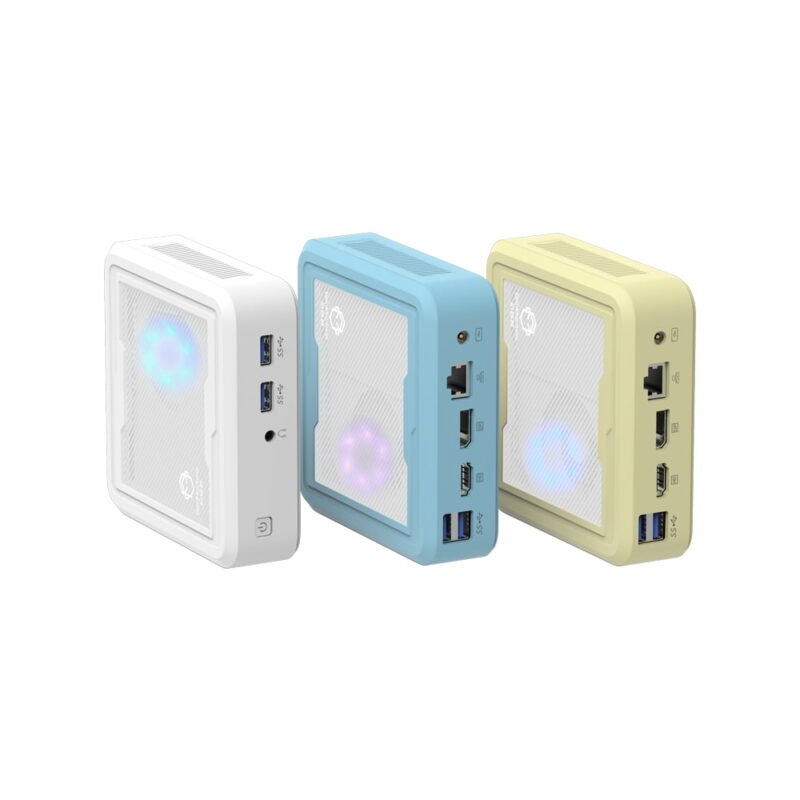
Setting Up the Best Mini Computer at Home
Getting the best mini computer delivered is only half the battle. How it sits on the desk kind of dictates the whole daily experience. Interestingly, because the computer itself is so light, thick HDMI or DisplayPort cables can sometimes physically drag the machine across the desk. Cable management actually matters a lot here.
Here is a common approach to setting up a tiny workstation:
Mount the device. Many units come with VESA brackets in the box, allowing the computer to attach directly to the back of a monitor. Out of sight, out of mind.
Manage the power brick. The computer might be tiny, but sometimes the external power supply is awkwardly large. Tucking it under the desk or into a cable management tray is usually the best move.
Add a high-quality USB hub. While these small PCs generally have decent ports, plugging in a webcam, microphone, keyboard, and external drive gets crowded very fast.
FAQ
Can the best mini computer handle modern gaming?
It depends heavily on the specific game and the internal graphics. Most of these rely on integrated GPUs. So, while casual titles, older games, or esports titles run totally fine (sometimes surprisingly well on newer AMD chips), trying to run brand-new heavy releases at maximum settings will definitely result in a choppy, unplayable experience.
Can the internal parts be upgraded later?
Usually, the storage and RAM can be swapped out easily. It is actually quite satisfying to pop the lid off and snap in a larger capacity RAM stick. However, the processor and graphics are permanently soldered to the motherboard, so whatever computing power is purchased on day one is what stays.
How long do these tiny desktops typically last?
A solid, well-ventilated machine easily lasts five to seven years for general tasks. Keeping the dust out of the vents helps a lot, as thermal throttling is the biggest enemy of small electronics. If you buy the best mini computer available today with decent specs, it won’t magically become obsolete next year.




