
Massive, tempered-glass towers packed with glowing fans have been the default standard for years. That’s just what a “real” gaming computer was supposed to look like. But those giant boxes take up an incredible amount of space, generate a ridiculous amount of heat into the room, and are basically heavy furniture once you set them up.
Recently, the hardware landscape has shifted. The idea of relying on a mini pc for gaming has gone from being a fringe, somewhat masochistic curiosity to a completely legitimate alternative. But is it actually time to box up the old mid-tower and switch to something that fits in the palm of a hand? The answer is kind of complicated, and it really depends on what happens after the game launches.

The Real Appeal of a Mini PC for Gaming
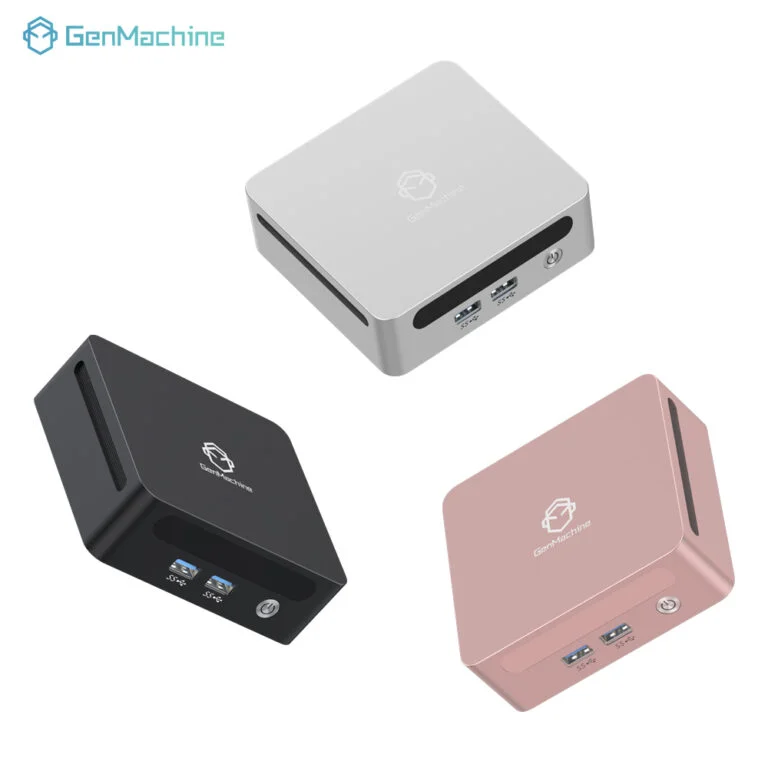
Desktop real estate is a luxury not everyone has. When you swap a forty-liter metal box for something roughly the size of a thick paperback book, the entire dynamic of a room changes. You can tuck it behind a monitor, hide it under a desk shelf, or just throw it in a backpack if you’re heading somewhere else.
But it’s not just about space anymore. The hardware itself has caught up in ways that genuinely surprise people who haven’t paid attention to small-form-factor tech lately.
The APU Revolution
A few years ago, trying to run a modern AAA game without a dedicated graphics card was a terrible experience. It usually meant staring at a slideshow. Today, modern processors with integrated graphics (APUs) have gotten frighteningly good. Chips like AMD’s high-end mobile processors can push 60 frames per second at 1080p in surprisingly demanding titles. This means a standard mini pc for gaming doesn’t necessarily even need a bulky, power-hungry separate graphics card to provide a solid experience.
Lower Power, Less Guilt
Standard gaming desktops pull a lot of electricity. A typical rig with a mid-range GPU can easily draw 400 to 500 watts while under load. Meanwhile, a highly optimized mini pc for gaming might draw 65 to 100 watts max. That massive drop in power consumption translates to lower electricity bills, sure, but more noticeably, it means your room doesn’t turn into a sauna during a three-hour gaming session in the middle of summer.
Where Traditional Desktops Still Hold the Crown
Of course, it’s not all perfect. Physics is still a thing, and trying to cram high-performance silicon into a tiny plastic or aluminum shell comes with unavoidable tradeoffs.
Raw Power and Thermal Limits
Big fans cool big heat. It’s that simple. While a traditional desktop can spin up three massive 140mm fans to quietly exhaust hot air, compact systems have to rely on tiny, fast-spinning blowers. When pushed to its absolute limits, a gaming mini PC will get hot, and that tiny fan will start to sound a bit like a drone taking off. Eventually, to stop from melting, the system will intentionally slow itself down—a process known as thermal throttling—which means your frame rates drop right when the action gets heavy. This trade-off is the single biggest compromise you accept when opting for a smaller form factor.
The Upgrade Problem
If a graphics card dies in a standard tower, or if it just gets too old to play the latest releases, you just unscrew it and put a new one in. With compact systems, you are pretty much locked in. The CPU and the graphics hardware are almost always soldered directly to the motherboard.
Head to Head: A Mini PC for Gaming vs. a Standard Tower
| Feature | Traditional Desktop Tower | Dedicated Mini PC for Gaming |
|---|---|---|
| Footprint / Size | Huge (35–50+ Liters) | Tiny (0.5–2 Liters) |
| Upgradeability | Near limitless | Usually just RAM and Storage |
| Max Performance | 4K / High Refresh Rate VR | 1080p / 1440p (Settings dependent) |
| Power Consumption | Very High (400W–850W+) | Very Low (45W–120W) |
| Acoustics under load Warrior | Generally a low hum | Often a higher-pitched fan whine |
Deciding When a Mini PC for Gaming Makes Sense
Making the switch isn’t for everyone. A competitive esports player who needs 240 frames per second at all times is going to be miserable on a tiny machine.
However, a mini pc for gaming is arguably the perfect fit for certain setups:
People who primarily play indie games, retro titles, or well-optimized esports games.
Living room setups where the PC acts like a console plugged into a TV.
Users who split their time between serious office productivity and casual after-hours gaming.
Anyone living in a dorm room or tiny apartment where a bulky desk just isn’t an option.
If you are seriously considering making the jump, there is a logical way to approach it so you don’t end up with buyer’s remorse:
Document the specific games you play the most right now, not the hypothetical games you might play in three years.
Check YouTube for benchmark videos of those exact games running on the specific processor of the mini PC you want to buy.
Be realistic about whether you actually upgrade your PC parts, or if you just buy a new computer every five years anyway.
FAQ
Can a mini pc for gaming handle streaming to Twitch or YouTube?
Yes, but it can be a heavy lift. Modern processors have built-in media encoders that handle the streaming part decently well, but running a heavy game while simultaneously encoding video can push a small thermal system to its absolute limit.
Do you need a special monitor for a compact gaming setup?
Not at all. You can plug them into standard gaming monitors via HDMI or DisplayPort, or even hook them up directly to a 4K living room television just like a traditional console.
Is it possible to add an external graphics card later?
Sometimes. If the mini pc for gaming supports USB4 or Thunderbolt 4, you can theoretically hook up an external GPU (eGPU) enclosure later on. However, those enclosures are expensive, bulky, and kind of defeat the purpose of buying a tiny computer in the first place.




