
Anyone who spent time dragging a massive, tempered-glass mid-tower to a local LAN event a decade ago knows the struggle of heavy hardware. Back then, gaming meant bulk. The idea of playing anything demanding on a machine the size of a hard drive enclosure felt like science fiction. A tiny gaming computer used to mean a system that could maybe, barely, run older games at the lowest possible settings while sounding like a jet engine preparing for takeoff.
But looking at the hardware landscape today, things have shifted dramatically. The shrinking of the gaming PC isn’t just a gimmick anymore — it’s a legitimate segment of the market. And getting desktop-level performance into a box that sits neatly under a monitor required some fairly aggressive engineering to pull off.

The Evolution of the Tiny Gaming Computer
It wasn’t exactly an overnight success story. Early attempts to build extremely compact PCs usually ran into the same immovable wall: physics. High-performance parts generate a massive amount of heat, and heat inside a small, cramped box leads directly to thermal throttling.
The shift happened when manufacturers stopped trying to cram standard desktop parts into smaller boxes and started heavily modifying laptop architecture instead. Every modern tiny gaming computer relies heavily on mobile processors — chips designed from the ground up to operate within strict power limits, usually somewhere around 35 to 65 watts.
APUs Doing the Heavy Lifting
The real hero of this shrinking act is the APU (Accelerated Processing Unit). For a long time, integrated graphics were mostly just meant to keep the screen turned on so you could use a spreadsheet. Today, chips from AMD and Intel have integrated graphics architectures that rival entry-level dedicated graphics cards from just a few years ago. Because the CPU and GPU share the same die and the same cooling solution, a tiny gaming computer can skip the bulky PCIe slots and massive separate heatsinks entirely.
Thermals That Actually Make Sense
Cooling a processor in a chassis that holds less than two liters of volume is, frankly, a nightmare. To fix this, engineers borrowed heavily from premium gaming laptops. Instead of standard aluminum blocks, you’ll almost always find liquid metal thermal compound, tightly packed copper fins, and vapor chamber cooling inside these little machines.
Hardware Realities: Tower vs. Tiny Gaming Computer
| Form Factor | Typical Volume | Average Power Draw | Upgradeability | Portability |
|---|---|---|---|---|
| Standard Mid-Tower | 40–50 Liters | 400W – 800W+ | Almost unlimited | Extremely poor |
| Small Form Factor (ITX) | 10–18 Liters | 300W – 600W | Moderate to high | Manageable |
| Tiny Gaming Computer | 0.5–2 Liters | 45W – 120W | RAM/Storage only | Fits in a backpack |
What stands out here is the power efficiency. Getting 60 frames per second in a modern title using less than 100 watts of total system power is a massive leap forward from where the industry was even five years ago.
Engineering Tricks Under the Hood
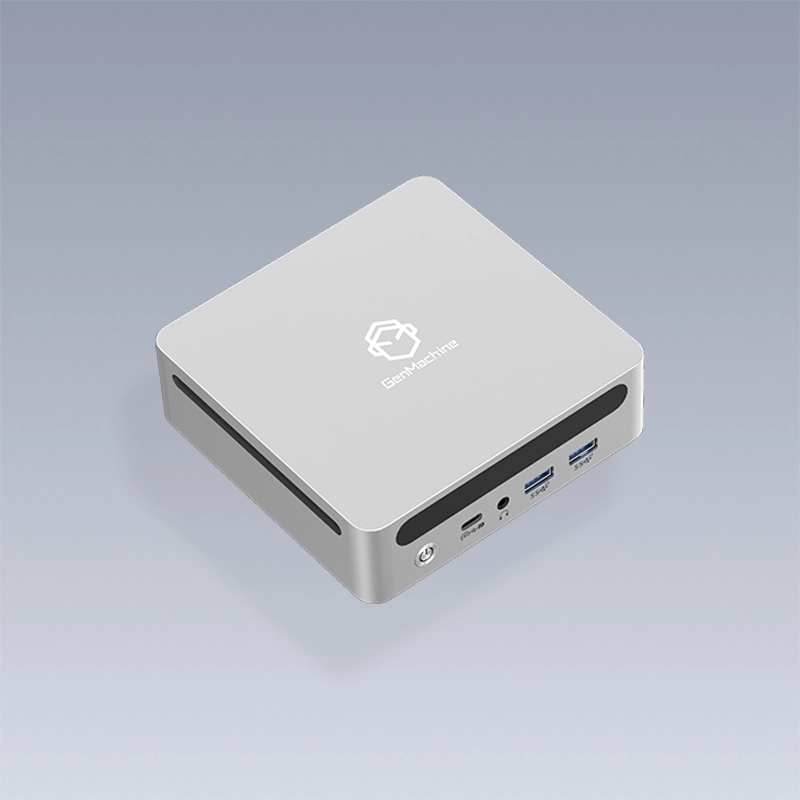
Opening up a tiny gaming computer reveals a very different layout than a traditional PC. Space is negotiated down to the millimeter. This is especially true for a compact gaming computer, where every cubic centimeter is optimized for performance within severe physical constraints.
Some of the clever design choices usually include:
High-density SODIMM memory (laptop RAM) stacked tightly to save motherboard real estate.
Customized, irregular motherboard shapes designed to wrap around the cooling fan rather than sitting flat beneath it.
Power supplies moved outside the case entirely, functioning as a bulky external power brick to keep heat away from the core components.
The Real-World Compromises of a Tiny Gaming Computer
It’s genuinely wild to see a box the size of a lunch container running modern AAA games. But it’s not magic, and you do pay a price for that miniaturization. Anyone looking to replace their desk-dominating tower needs to accept a few realities.
The upgrade ceiling is low. Aside from swapping out the NVMe storage drive or adding more RAM, what you buy is pretty much what you are stuck with.
Fan noise has a different profile. While they aren’t necessarily louder in decibels than a desktop, the tiny fans have to spin much faster, creating a higher-pitched whine under heavy gaming loads.
You pay a premium for the size. Pound for pound, or rather frame for frame, a traditional desktop is still cheaper to build.
Despite the trade-offs, the appeal is undeniable. The engineering required to make a tiny gaming computer actually viable has changed expectations about what a workstation needs to look like.
FAQ
Can a tiny gaming computer run VR headsets?
It depends heavily on the model, but generally, yes — though with limits. Units featuring high-end integrated graphics or dedicated mobile GPUs can handle older or less demanding VR titles, but they might struggle with high-resolution, physics-heavy VR games.
How long do these compact systems last before overheating?
As long as the vents aren’t blocked, a well-designed tiny gaming computer can run indefinitely without overheating. They are engineered with strict thermal limits, meaning the system will automatically lower its clock speeds (throttle) to maintain safe temperatures rather than melting down.
Is it cheaper to build or buy a tiny gaming computer?
Unlike mid-towers, you can’t really “build” a true micro-PC from scratch because the motherboards and processors are proprietary and soldered together. You can buy barebones kits where you add your own RAM and storage, but the core system has to be purchased pre-assembled.



