
The Business Case for Windows 11 Mini PCs
Office hardware decisions used to be pretty straightforward. You bought towers, stacked them under desks, and dealt with the noise and the heat and the cable mess. That model worked for a long time. But the way businesses actually operate has shifted — leaner teams, hybrid setups, open-plan offices — and the hardware is starting to catch up.
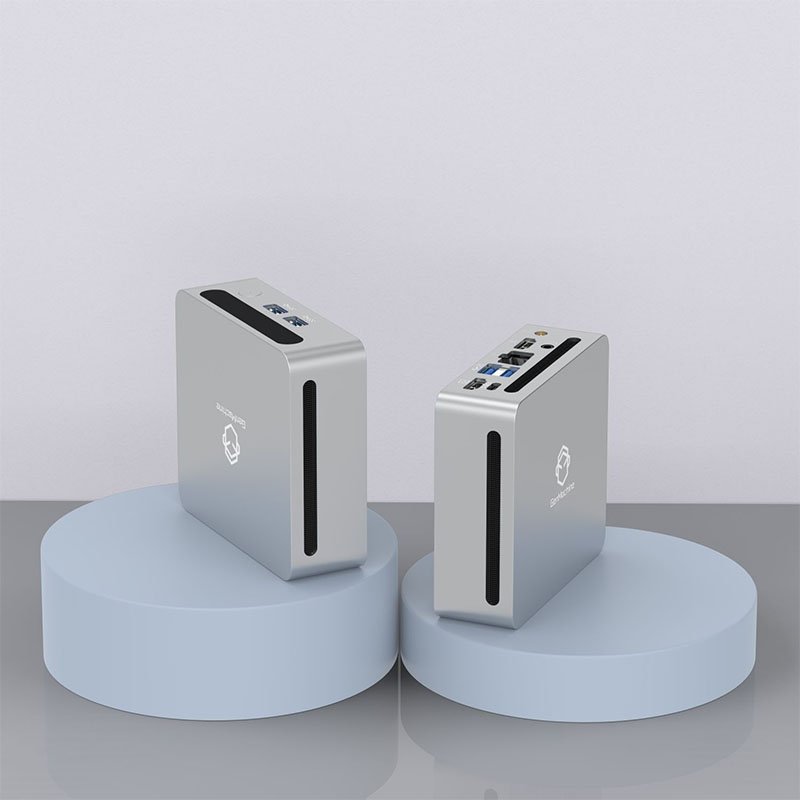
Windows 11 mini PCs have quietly become a serious option for businesses that want capable machines without the bulk. Not just for niche use cases, either. General office work, point-of-sale systems, digital signage, remote desktop environments — the list of practical applications keeps growing, and the hardware has matured enough to support most of them without compromise.
Lower Costs Without Cutting Corners
The upfront cost difference between a compact mini PC and a traditional desktop is noticeable. Power consumption is another factor that adds up over time, especially across larger deployments. A typical windows 11 mini pc draws somewhere between 10–35W under normal load, compared to 65–150W for a standard desktop tower. Multiply that across 50 workstations over a year and the savings become real.
Maintenance costs tend to be lower too. Fewer moving parts, simpler hardware configurations, and standardized setups make IT support more manageable — particularly for businesses without large in-house tech teams.
Space Efficiency That Actually Changes Office Layouts
It sounds minor until you’re actually rearranging a workspace. A mini PC can mount directly behind a monitor, sit on a shelf, or tuck into a reception desk without dominating the space. For businesses running tight floor plans or shared workstations, that flexibility matters more than it might seem on paper.
What Windows 11 Brings to the Business Table
The operating system side of this equation deserves its own attention. Windows 11 wasn’t just a visual refresh — it brought meaningful changes for enterprise environments specifically.
Security Features Built for the Workplace
Windows 11 requires TPM 2.0 by default, which means hardware-level security is baked in rather than bolted on. BitLocker encryption, Secure Boot, and Windows Hello for Business all work more cohesively on compliant hardware. For businesses handling sensitive data or operating in regulated industries, that baseline matters quite a bit. Take an AMD Ryzen 4700U-based Mini PC, for example — it fully supports TPM 2.0 and the necessary security features out of the box, making it a viable option for small offices or remote workstations that need compliance without a large footprint. Most Windows 11 Mini PC models sold today are built to meet these requirements, which simplifies procurement decisions somewhat.

Management and Deployment at Scale
Microsoft Intune, Windows Autopilot, and Active Directory integration all work cleanly on Windows 11. For IT teams managing dozens or hundreds of endpoints, the ability to push configurations, updates, and policies remotely is genuinely useful. Mini PCs don’t complicate this — if anything, their standardized hardware profiles make imaging and deployment more consistent across a fleet.
Performance vs. Footprint — A Comparison Worth Making
One concern that comes up often is whether compact hardware can actually handle business workloads. For most of them, it can. Here’s a rough breakdown:
| Use Case | Recommended Spec | Mini PC Capable? | Notes |
|---|---|---|---|
| General office / productivity | Core i5 / Ryzen 5, 16GB RAM | Yes | Handles most business software comfortably |
| Video conferencing | Core i5+, 8GB+ RAM | Yes | Integrated graphics are sufficient |
| Light data work / spreadsheets | Core i3 / Ryzen 3, 8GB RAM | Yes | Budget mini PCs work fine here |
| CAD / 3D rendering | Discrete GPU, 32GB+ RAM | Limited | Specialized mini PCs only |
| Point-of-sale / kiosk | Low-power chip, 8GB RAM | Yes | Ideal use case for the form factor |
Practical Considerations Before Deploying
Not every mini PC is the right fit for every business environment. A few things worth checking before committing to a bulk purchase:
Confirm the unit ships with a genuine Windows 11 Pro license, not Home — Pro is required for domain join and group policy
Check port availability: at least two USB-A ports, HDMI or DisplayPort, and ethernet are baseline for most office setups
Look at RAM upgradeability — some models are soldered, which limits future flexibility
Verify warranty terms, especially for commercial deployments
Once those boxes are checked, a phased rollout tends to work better than going fleet-wide immediately:
Start with a pilot deployment of 5–10 units across different roles
Test against the specific software stack the business actually runs, not just general benchmarks
Confirm remote management compatibility with existing IT infrastructure before scaling
FAQ
Do Windows 11 mini PCs support domain join and enterprise management tools?
Yes. Windows 11 Pro, which most business-grade mini PCs ship with, supports Active Directory, Azure AD, Microsoft Intune, and Group Policy — the same as any standard desktop.
Are mini PCs reliable enough for full-time business use?
Generally yes. The reduced component count actually means fewer mechanical failure points compared to traditional towers. Thermal management is the main variable — units from established brands tend to handle sustained workloads more consistently than generic options.
Can a windows 11 mini pc run industry-specific software?
Most standard business software runs without issue. For specialized applications with particular hardware requirements — certain CAD tools, video editing suites — it’s worth checking system requirements against the mini PC’s specs before purchasing rather than assuming compatibility.




