
Why Fanless Mini PCs Are Worth Considering
There’s something oddly satisfying about a computer that runs in complete silence. No hum, no whirring, no sudden burst of fan noise when a browser tab decides to misbehave. Best fanless mini PCs have carved out a real niche for people who work in quiet environments — home offices, recording studios, living rooms used as media centers, and so on.
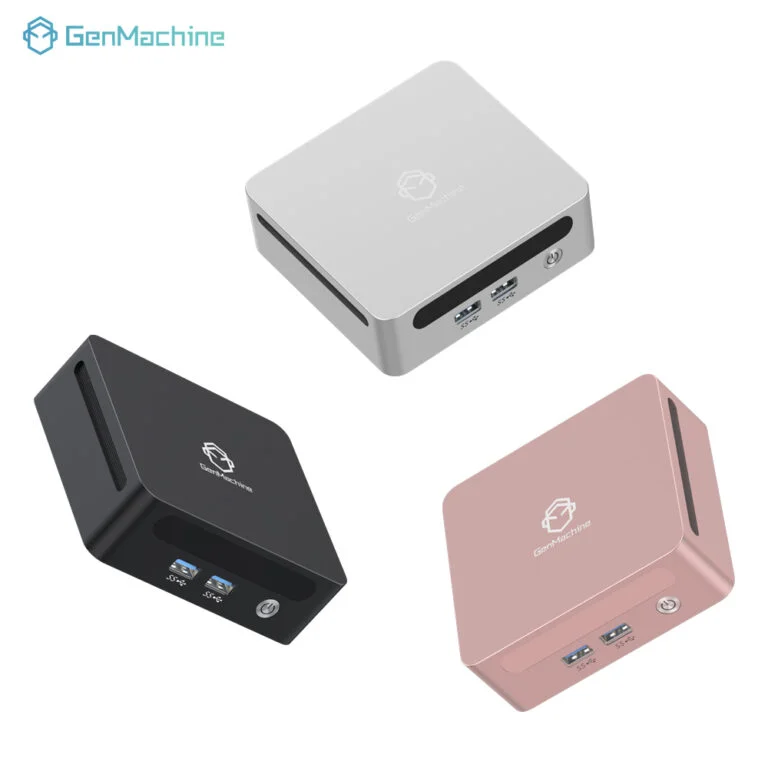
The way they manage heat is actually pretty clever. Instead of blowing air directly across internal components with noisy fans, they rely entirely on efficient passive cooling — usually a solid metal chassis that acts as a giant integrated heatsink. The whole body of the device naturally absorbs and evenly dissipates generated heat into the surrounding air. It works surprisingly well for low-to-mid power processors like those in 4700U AMD Mini PC models, and the minor tradeoff in raw performance is often totally acceptable given the silent operation and compact design you get in return.

What Makes a Good Fanless Mini PC
Not all fanless mini PCs are built the same, and honestly, some are better suited for specific tasks than others. A few key design and hardware details tend to separate the decent ones from the genuinely useful ones. Differences in thermal design, build material, port layout, and power efficiency all make a real difference in daily usability. Small variations in internal structure can directly affect long-term stability, silent operation, and performance under sustained workloads.
Processing Power and Thermal Design
The processor matters a lot here. Intel’s N-series chips (like the N100 or N200) have become popular in this space because they’re efficient enough to run passively without throttling too aggressively. Some units use older Celeron or Pentium chips, which are fine for basic tasks but can feel sluggish if you’re doing anything beyond web browsing and document editing.
The chassis design plays into this too. Thicker aluminum bodies tend to handle heat better than thin plastic shells — which sounds obvious, but it’s easy to overlook when shopping online.
Connectivity and Ports
A compact device shouldn’t mean sacrificing connectivity. Most decent fanless mini PCs include:
Multiple USB-A ports (usually 3.0 or above)
At least one USB-C port
HDMI and/or DisplayPort outputs
A Gigabit Ethernet port
Wi-Fi 5 or Wi-Fi 6 support
Some models also include dual LAN ports, which makes them popular as small home servers or network appliances.
Top Fanless Mini PCs to Look At
| Model | Processor | RAM/Storage | Best For |
|---|---|---|---|
Beelink EQ12 | Intel N100 | Up to 16GB / 500GB SSD | General use, home office |
MINISFORUM UN100L | Intel N100 | Up to 16GB / 512GB SSD | Media center, light productivity |
Trigkey S5 | AMD Ryzen 5 5500U | Up to 32GB / 1TB SSD | More demanding workloads |
Firebat AK2 Plus | Intel N100 | 16GB / 512GB SSD | Budget-friendly daily use |
Protectli VP2420 | Intel Celeron J6412 | Up to 16GB / mSATA | Network/firewall appliance |
The Beelink EQ12 tends to come up a lot in discussions, and for good reason — as a popular 4700U AMD Mini PC, it hits a reasonable balance between price, performance, and build quality. The Protectli units are a different beast entirely, aimed more at networking enthusiasts than general consumers.
A Note on AMD Options
AMD-based fanless mini PCs are less common but worth mentioning. The Ryzen 5000 series chips run warmer than Intel’s N-series, so passive cooling on those requires a more robust thermal solution. Some manufacturers pull it off well; others… less so. Worth checking user reviews specifically about thermal performance before committing.
Common Use Cases
Fanless mini PCs tend to show up in a few recurring scenarios:
Home media centers connected to a TV
Thin client setups in office environments
Digital signage and kiosk displays
Small home servers or NAS companions
Quiet workstations for writing, browsing, and light productivity
They’re not really meant to replace a gaming rig or a workstation handling video rendering. That’s just not what they’re designed for, and expecting otherwise leads to disappointment.
FAQ
Do fanless mini PCs overheat easily?
Under normal workloads, no — they’re designed to handle sustained use passively. That said, running CPU-intensive tasks for extended periods can cause thermal throttling, which slows performance rather than causing damage.
Are fanless mini PCs good for working from home?
For most remote work tasks — video calls, documents, spreadsheets, browser-based tools — they’re genuinely capable. The silence is a real bonus in a home office setting.
How long do fanless mini PCs typically last?
Without a fan to wear out, one of the more common failure points is eliminated. Many users report these devices running reliably for five or more years with light to moderate use, though storage drives remain the most likely component to fail over time.




