
The tech landscape is currently littered with all sorts of gadgets that try to do everything at once, but there is something uniquely specific about the way Android Mini PCs have carved out their own little corner. These devices, which are essentially the brains of a smartphone tucked into a small box with an HDMI port, offer a weirdly satisfying middle ground. They aren’t quite full-blown workstations, yet they are significantly more capable than a simple streaming stick. It is interesting to see how people use them—sometimes as a media center, other times as a dedicated retro gaming station, or even as a low-cost digital signage solution for a small business.
Understanding the Appeal of Modern Android Mini PCs
When looking at the market today, it becomes clear that these devices have evolved quite a bit from the buggy, overheating sticks of five years ago. Now, Android Mini PCs are often built with surprisingly robust cooling and actual ports that allow for real expansion. There is a certain sense of freedom that comes with using an open ecosystem on a television or a desktop monitor. Unlike some proprietary smart TV platforms that feel like they are constantly trying to sell you a subscription, a clean Android box just lets you install what you want and get on with it.

Software Versatility and the Interface Gap
One of the most frequent observations regarding these machines is the divide between “Android TV” and “Stock Android.” It is a distinction that matters more than most people realize at first. Android TV is polished and works beautifully with a remote, but it can feel a bit restrictive. Stock Android, on the other hand, gives access to the full Play Store, but navigating it can be a bit of a nightmare without a wireless mouse or a touch-pad keyboard. It’s one of those things where you have to decide if you want convenience or total control. Often, the best Android Mini PCs are the ones that manage to strike a balance, perhaps offering a custom launcher that makes the experience feel a bit more intentional.
Hardware Capabilities and Thermal Management
There is also the matter of what is under the hood. While a phone might get away with passive cooling because it is only used in bursts, a mini PC might be running for ten hours straight. It is quite common to see devices using Rockchip or Amlogic processors, which are the workhorses of this industry. These chips are surprisingly efficient, but they do have their limits. If someone is trying to stream 8K video—even though 8K content is still pretty rare—the hardware needs to be up to the task.
Comparing Features in Popular Android Mini PCs
| Model Category | Recommended RAM | Ideal Usage | Key Benefit |
|---|---|---|---|
Entry-Level | 2GB – 4GB | Basic streaming, web browsing | Very affordable, low power |
Mid-Range | 4GB – 8GB | Light gaming, 4K video, office tasks | Balanced performance |
High-End | 8GB+ | Emulation, server hosting, multitasking | Future-proof, smooth UI |
The Practicality of Using Android Mini PCs in Daily Life
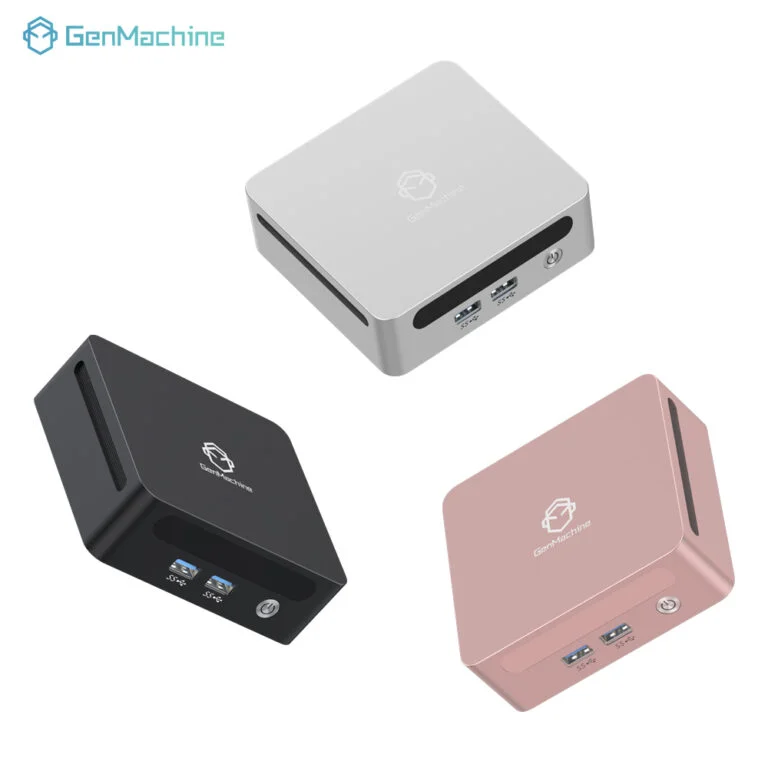
In a home environment, the way these compact devices like the 4600H AMD Mini PC are set up can change the whole vibe of a room. It is a bit of a minimalist’s dream. You can hide the entire 4600H AMD Mini PC behind the monitor using some double-sided tape or a VESA mount, and suddenly the desk looks empty. But there are a few things to keep in mind to make sure the experience with your compact mini PC isn’t frustrating.
To get the most out of the setup, one might want to follow a few general rules:
Always use a wired Ethernet connection if possible, especially for high-bitrate streaming.
Invest in a dedicated “air mouse” or a small wireless keyboard combo.
Check the version of Android being used; anything below version 11 is starting to feel a bit dated now.
Keep the device in a spot with decent airflow to prevent thermal throttling.
It’s also quite interesting to see how these units are being used in professional settings. You walk into a doctor’s office or a local deli, and that screen showing the menu or the waiting list? There is a high chance it is being powered by one of these Android Mini PCs tucked away out of sight. They are reliable enough to just stay on forever, and they consume so little electricity that the power bill barely notices them.
Connectivity and Peripheral Support
Then there is the whole issue of ports. It’s a bit of a gamble with some of the ultra-thin models. You might find yourself wanting to plug in a webcam for a Zoom call, only to realize the device only has one USB port and it’s already taken by the keyboard. Some of the better-designed Android Mini PCs now include:
Dual-band Wi-Fi for better range.
Bluetooth 5.0 for connecting headphones or game controllers.
Optical audio out for those who have older, high-quality sound systems.
Multiple USB ports, including at least one USB-C for modern peripherals.
FAQ
Can Android Mini PCs replace a traditional Windows desktop?
For most people, the answer is probably no, at least not entirely. While they are great for emails, social media, and video streaming, they struggle with heavy software like professional video editors or complex spreadsheets. They are better viewed as a secondary device or a specialized tool rather than a total replacement for a PC.
Do these Android Mini PCs support Netflix in 4K?
This is a tricky one. Many generic Android Mini PCs lack the “Widevine L1” certification required by Netflix and other streaming giants to play content in HD or 4K. Even if the hardware can handle 4K, the app might limit you to standard definition. If 4K streaming is a priority, it is vital to check for official certification.
Is it easy to update the software on an Android Mini PC?
It varies wildly by brand. Some of the more reputable manufacturers offer over-the-air (OTA) updates, while cheaper, unbranded models might never receive a single update. This can lead to security vulnerabilities over time, so it is often worth paying a little extra for a brand that actually supports its hardware.




