
Why an Android Mini PC Deserves a Closer Look
The idea of running Android on a desktop-style device isn’t new, but the hardware has gotten noticeably better in the last couple of years. An Android mini PC offers something a bit different from a standard Windows box or a Chromebook — it’s lightweight, app-driven, and often ridiculously affordable. For digital signage, kiosk setups, media streaming, or even basic office tasks, these compact machines fill a niche that other devices don’t quite cover.
But here’s the thing. The market is flooded with options, and quality varies wildly. Some units feel like proper computing devices. Others are barely a step above a cheap TV stick with a new label slapped on. Knowing which features actually matter makes the difference between a useful purchase and a frustrating one.

Core Hardware Features in an Android Mini PC
Processor Performance
The chipset is where everything starts. Budget models typically run on older Rockchip or Allwinner processors — fine for basic streaming, but sluggish once multitasking enters the picture. For anything beyond single-app usage, something like an Amlogic S905X4 or a newer RK3588 offers a much smoother experience. The jump in responsiveness is noticeable even in everyday navigation.
RAM and Internal Storage
Most Android mini PC units ship with either 2GB, 4GB, or 8GB of RAM. For signage or a single-purpose kiosk, 2GB might scrape by. But for general use — browsing, light productivity, running multiple apps — 4GB is really the floor, and 8GB provides breathing room that keeps things from bogging down over time.
Storage-wise, 32GB of internal eMMC fills up faster than people expect once apps, updates, and cached data pile up. 64GB or 128GB is a safer bet. And it’s worth checking whether the device supports microSD expansion or USB storage for flexibility.
GPU and Display Output
Graphics matter more than they might seem at first glance. For 4K video playback or running graphical apps smoothly, a capable GPU (Mali-G610 or equivalent) makes a real difference. Also worth checking: what display outputs are available. HDMI 2.0 or 2.1 is standard for 4K at 60fps. Some models only support 4K at 30fps, which looks fine for static content but feels choppy with video.
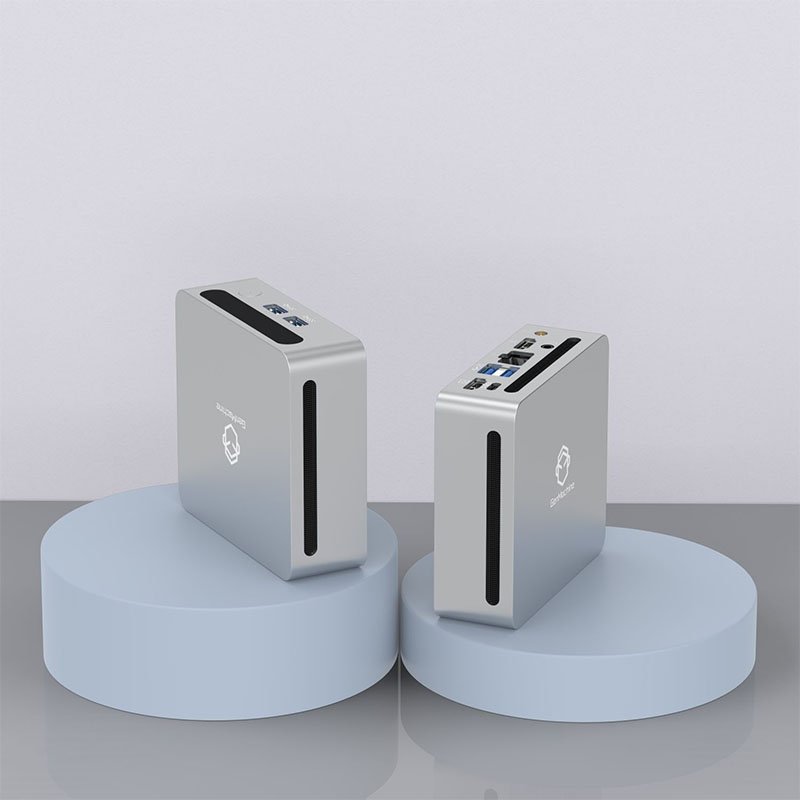
Connectivity Options That Matter on an Android Mini PC
Wi-Fi and Bluetooth
Dual-band Wi-Fi (2.4GHz + 5GHz) should be considered non-negotiable at this point. Single-band units still exist in the budget tier, and they struggle in congested network environments. Bluetooth 5.0 or higher is useful for connecting peripherals — keyboards, mice, game controllers — without eating into USB ports.
Ethernet
For any deployment where reliability matters (signage, point-of-sale, always-on dashboards), a wired Ethernet port is essential. Wi-Fi drops happen. Ethernet doesn’t. Gigabit is ideal, though 100Mbps works for most streaming and web-based tasks.
USB Ports and Expansion
A breakdown of what to look for in terms of ports:
At least two USB-A ports (for keyboard/mouse or storage)
One USB-C port (for data or potentially power delivery)
MicroSD slot for expandable storage
HDMI output (preferably 2.0 or higher)
Some models skimp here, offering only a single USB port, which becomes limiting quickly in practice.
Software and OS Considerations
Android Version
This gets overlooked surprisingly often. An Android mini PC running Android 10 or older is already behind on security patches and app compatibility — even powerful hardware like the 4800U AMD Mini PC will feel limited when paired with outdated system firmware. Android 12 or 13 is the sweet spot right now — modern enough for current apps, stable enough for daily use, and perfectly matched to the performance potential of a 4800U AMD Mini PC. Some manufacturers promise OTA updates but never deliver them, so checking user reviews on update history is a smart move, especially if you’re investing in a premium 4800U AMD Mini PC for long-term deployment.
Google Play Store Access
Not all Android mini PCs come with Google Play Services certified. Without it, installing apps becomes a manual APK sideloading process, which is workable but inconvenient for most users. If app access matters (and it usually does), confirming Play Store certification before buying avoids frustration later.
Comparing Android Mini PC Options by Use Case
| Use Case | Recommended RAM | Processor Tier | Key Feature |
|---|---|---|---|
Digital signage | 2-4GB | Amlogic S905X3/X4 | HDMI CEC, auto-boot |
Media center (Kodi/streaming) | 4GB | Amlogic S905X4+ | 4K@60fps, HDR support |
Light office/productivity | 4-8GB | RK3588 or equivalent | Bluetooth 5.0, dual display |
Kiosk/POS terminal | 4GB | Mid-range Amlogic/RK | Ethernet, USB expansion |
Retro gaming/emulation | 4-8GB | RK3588 | Strong GPU, game controller support |
Practical Tips Before Buying
A quick checklist that tends to save people from common regrets:
Confirm the Android version and whether updates are actually provided.
Verify Google Play certification if app access is needed.
Check thermal design — fanless is quiet but may throttle under load.
Look at the power adapter specs (some ship with underpowered supplies).
Read community forums or Reddit threads for real-world feedback on the specific model.
It’s also worth noting that the cheapest option almost never ages well. Spending an extra $20-30 on a model with better RAM or a newer chipset tends to extend the useful life of the device by a year or more. That tradeoff is almost always worth it.
FAQ
Can an Android mini PC replace a regular desktop computer?
For basic tasks — web browsing, email, streaming, document editing — it can work surprisingly well. But for heavy multitasking, professional software, or anything requiring Windows/macOS-specific applications, it’s not a full replacement. It works best as a purpose-driven device rather than a general-purpose workstation.
Do all Android mini PCs support 4K output?
Most modern ones do, but the details matter. Some only output 4K at 30fps, which is fine for static displays but not ideal for video content. Check for HDMI 2.0 or higher and confirm 4K support if smooth video playback is a priority.
How long do Android mini PCs typically last before becoming outdated?
It depends heavily on the manufacturer’s software support. Hardware-wise, they can run for years without issue. But without OS updates, security vulnerabilities and app incompatibility creep in after roughly 2-3 years. Choosing a model with a newer Android version and an active developer community helps extend that window.




