Looking around a modern manufacturing plant or heavy industrial facility, there is a very quiet hardware revolution happening right on the factory floor. For decades, running automated assembly lines or heavy robotics required these massive, heavily air-conditioned server cabinets. They took up a ton of valuable floor space, gathered an absurd amount of dust, and were generally a nightmare to maintain. But lately, peeking behind the control panels of a modern manufacturing line reveals something totally different. A tiny, fanless windows mini PC is usually just bolted right onto the machinery. Watching this physical transition from huge industrial towers to incredibly small form factors is actually pretty fascinating, mostly because these tiny machines are somehow handling the exact same heavy workloads.
It is honestly a bit weird at first to see a computer the size of a paperback book controlling a massive robotic welding arm. But as industrial software gets more efficient and small-scale silicon gets significantly more powerful, relying on giant metal server boxes just doesn’t make logical sense anymore.

The Shift Toward the windows mini PC in Harsh Environments
Factories are basically the worst possible place for standard computer hardware. There is constant physical vibration from heavy machinery, microscopic metal dust floating in the air constantly, and wild temperature swings depending on the season. Regular desktop computers literally choke to death in these environments within a few months. That is exactly why industrial IT managers are leaning so heavily into using a specially built windows mini PC instead.
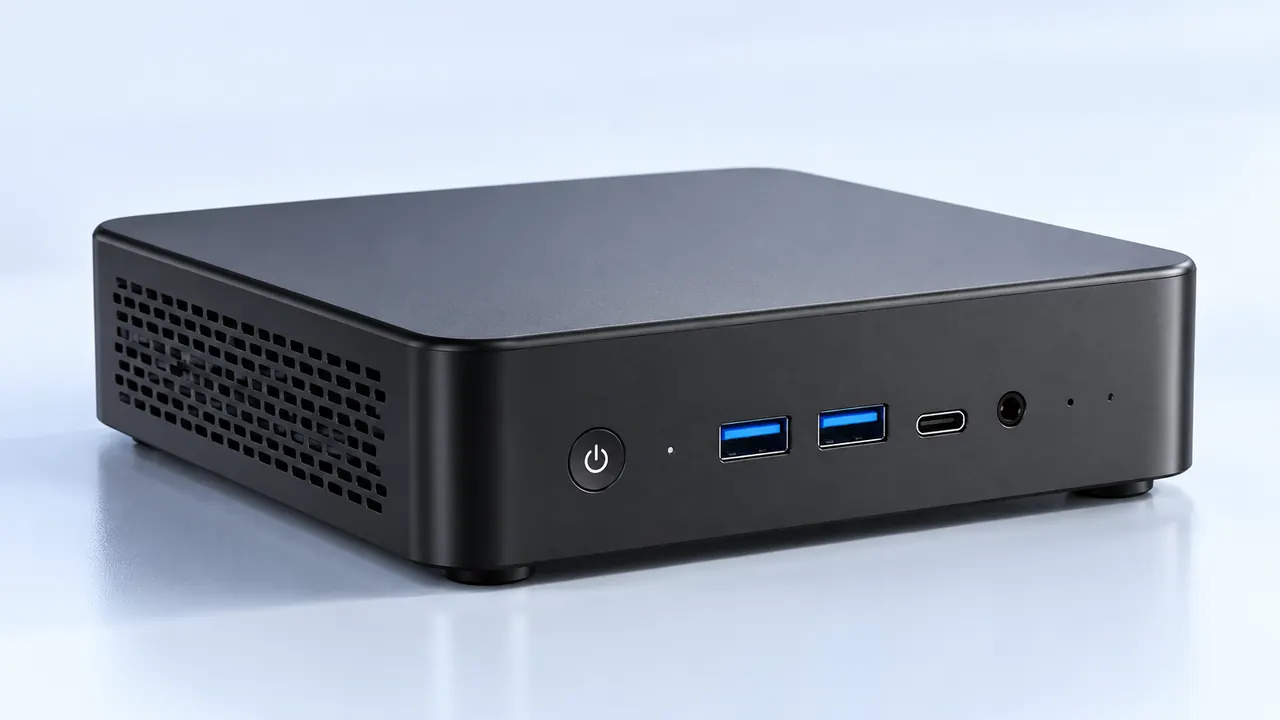
These aren’t the cheap plastic boxes meant for browsing the internet in a home office. Industrial versions are essentially heavy blocks of extruded aluminum acting as giant, passive heatsinks.
They are completely fanless, meaning no toxic or conductive dust gets sucked into the internal circuitry (which is a massive cause of hardware failure in heavy manufacturing).
Solid-state internal components handle constant physical vibrations without any moving read-write storage heads crashing and ruining data.
They natively support wide voltage inputs to survive the random electrical power spikes that happen constantly on factory power grids.
It is just highly practical hardware design. When a robotic arm swings around thousands of times a day, having a rugged windows mini PC bolted directly to its base without worrying about mechanical failure is a total game changer for assembly line uptime.
Legacy Integration Using a windows mini PC
Here is the weird thing about industrial automation: the core physical machinery usually lasts for decades. A factory might have a multi-million dollar metal stamping press from 1998 that still works perfectly fine, but it uses ancient serial ports to receive digital commands. Trying to get modern enterprise servers to talk to these old machines natively is incredibly frustrating.
Surprisingly, an industrial Windows mini PC like the 4800U AMD Mini PC bridges this weird gap perfectly. Hardware manufacturers specifically design these tiny units with a huge array of older input and output ports right alongside modern networking jacks. It allows engineers to keep using the old, reliable heavy machinery while seamlessly connecting it to the factory’s modern cloud-based monitoring systems.

| Hardware Connection Type |
Common Industrial Use Case |
How a windows mini PC Handles It |
|---|---|---|
RS-232 / COM Ports |
Legacy PLCs and older barcode scanners |
Native physical ports built directly into the metal chassis |
Dual Gigabit Ethernet |
Keeping internal machine networks completely isolated from internet access |
Standard feature, allows easy network separation and routing |
Digital I/O (DIO) |
Triggering physical relays, warning buzzers, or indicator lights |
Onboard terminal blocks for direct bare-wire connections |
Streamlining Maintenance with a windows mini PC
When a computer running a critical part of an assembly line dies, the factory loses thousands of dollars every single minute it sits idle. Replacing a massive rack-mounted server used to take hours of unscrewing stubborn rails and re-routing messy, tangled cables.
Today, dealing with unexpected hardware failure using a windows mini PC is almost ridiculously simple. The downtime is usually measured in just minutes instead of hours. The standard swap process on a factory floor generally looks something like this:
Disconnect the modular power block and unclip the broken unit from its standard metal DIN-rail mount.
Snap a brand new, pre-configured windows mini PC right onto the exact same rail.
Plug the network and serial cables back in, power the machine up, and let the central server automatically push the control software down to the new node.
It takes away so much stress for the on-site technicians. Having a stack of identical, ready-to-go tiny computers sitting in a supply closet makes managing a massive automated facility feel a lot less chaotic.
FAQ
Can a windows mini PC actually handle real-time automation control?
Yeah, absolutely. While the extremely low-level, millisecond motor controls are still physically handled by specialized PLCs (programmable logic controllers), a windows mini PC sits right above them acting as the brain. They process the visual data from quality control cameras, run the human-machine interface touchscreens on the floor, and send the larger operational commands down to the robotic units without breaking a sweat.
Do they overheat easily without any cooling fans?
Not if they are designed and installed correctly. Industrial variants of the windows mini PC are specifically engineered with lower-wattage processors that simply do not generate desktop-level heat. The entire outer metal shell acts as a passive radiator. As long as they aren’t tossed inside a completely sealed, unventilated plastic box sitting in direct sunlight, they run reliably 24/7.
Why use Windows instead of specialized industrial operating systems?
It mostly comes down to software compatibility and ease of daily use. A massive chunk of the world’s leading SCADA (supervisory control and data acquisition) software is built natively for Windows environments. Using a windows mini PC means the IT department doesn’t have to retrain everyone on a complicated, obscure operating system just to monitor the daily assembly line production metrics.